
JYX-S55 Battery Replacement

Sarah Iceman and 2 other contributors
Last updated on Mar 7, 2024
Views: 8.8K
View statistics:
- Past 24 Hours:
- 5
- Past 7 Days:
- 55
- Past 30 Days:
- 222
- All Time:
- 8,774
Comments: 4
1 comment on steps, 3 guide comments.
Go to guide commentsCompleted: 1 2
1 person has marked this guide "completed." Will you be next?
2 people have marked this guide "completed." Including you — great job!
Favorites: 0 1
No one has favorited (and subscribed to) this guide. Will you be the first?
1 person has favorited (and subscribed to) this guide — and that's you!
Introduction
Go to step 1 ↓If your JYX-S55 speaker isn't turning on despite charging or not holding a charge, use this guide to replace the battery.
The battery allows the device to turn on and stay on for a period of time when not connected to a charger via an outlet.
Before using this guide, inspect the charging cable of the device and attempt to turn the device on using other charging cables that fit into the USB-C charging port located on the top panel of the device. Additionally, check for dust build up inside the USB-C port. Dust and debris can be removed using this guide to remove dust and debris from electronic devices. This will confirm whether or not the battery is faulty within the device.
Step 6 requires you to remove the battery from the device. To reduce risk, make sure the battery is completely discharged by leaving the device on until it turns off. This will signal the battery is not carrying any charge, and is safer to replace. Keep the device off and unplugged from all external power sources at all times while replacing the battery. It is important to note do NOT use heat or sharp objects to remove the current battery, as the lithium-ion battery is flammable and could potentially explode.
What you need
Tools
-
Spudger4.9


-
-
Tool used on this step:Flathead 3/32" or 2.5 mm Screwdriver$5.49
-
Remove the six screws around the perimeter of the top panel of the machine using a 2.5 mm flathead screwdriver.
 Ask FixBot
-
-
-
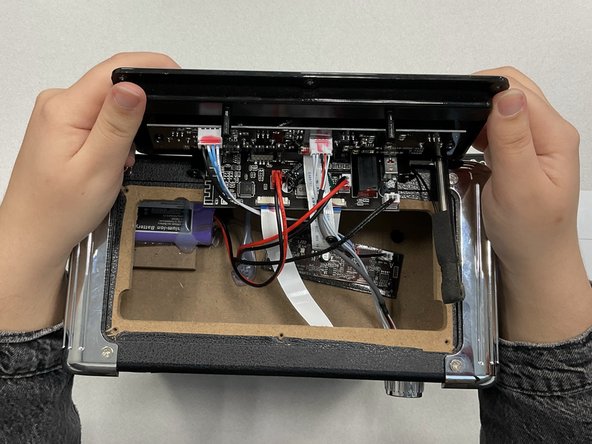
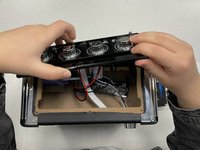
Grip the top panel with your thumb at the bottom and fingers around the top. Lift the panel until it comes loose.
-
-
-
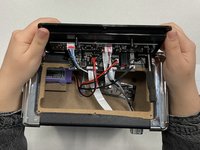
Move the top panel backwards and away from you. Let the panel hang down behind the machine, as this will allow you to have access to the components within the machine.
-
-
-
-
Disconnect the red and black wires from the battery.
-
Remove the battery from the device.
-
-




To reassemble your device, follow these instructions in reverse order.
Cancel: I did not complete this guide.
One other person completed this guide.

Team

Marist, Team 1-5, Chaterdon Spring 2023 Member of Marist, Team 1-5, Chaterdon Spring 2023
MARS-CHATERDON-S23S1G5
3 Members
48 Guides authored
3 Guide Comments
Hi, thanks for the pictures that really helped. What type of battery is needed? Can you email me at vrhaiza@gmail.com.
I opened the Karaoke machine:
Lithium-ion
Type- Lithium-ion Battery
Capacity: 3.7V/5200mAh
Model:18650C
Charging limited:4.2V
Date: 2022L1
M
