Free Shipping on Domestic Orders $75+

JVC GR-D72U Lateral Function Port Panel Replacement

What you need

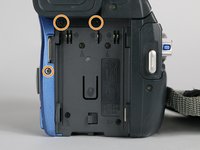
    1. JVC GR-D72U Lateral Function Port Panel Replacement, Battery: step 1, image 1 of 2 JVC GR-D72U Lateral Function Port Panel Replacement, Battery: step 1, image 2 of 2
      • Locate button on bottom of camera.

      • Slide button to the right.

      Ask FixBot

      Add Comment

    2. JVC GR-D72U Lateral Function Port Panel Replacement: step 2, image 1 of 1
      • Pull the battery towards the bottom of the camcorder while lifting battery .

      Ask FixBot

      Add Comment

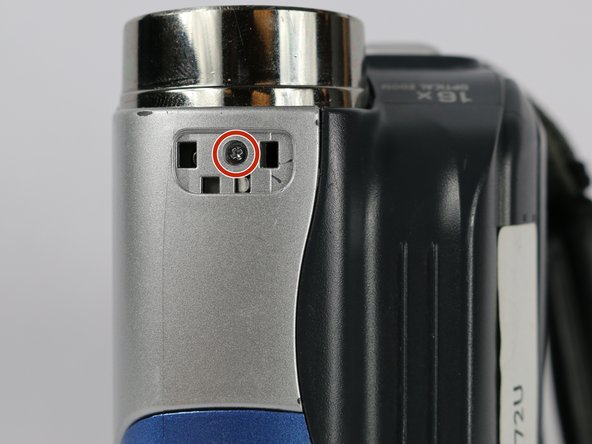
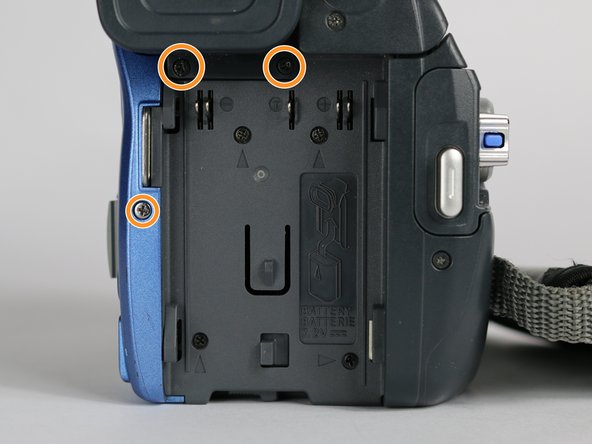
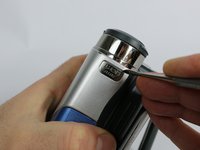
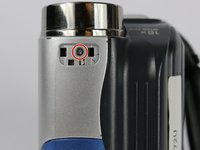
    1. JVC GR-D72U Lateral Function Port Panel Replacement, Lateral Function Port Panel: step 3, image 1 of 3 JVC GR-D72U Lateral Function Port Panel Replacement, Lateral Function Port Panel: step 3, image 2 of 3 JVC GR-D72U Lateral Function Port Panel Replacement, Lateral Function Port Panel: step 3, image 3 of 3
      • Remove silver plate that says “Auto Light” on the top of the camera using a metal spudger.

      • Remove the 3.1 mm screw.

      • Remove the three 5.3 mm screws from the back of the camera.

      Ask FixBot

      Add Comment

    2. JVC GR-D72U Lateral Function Port Panel Replacement: step 4, image 1 of 1
      • From the bottom of the camera remove the following four screws:

      • 5.3 mm

      • 3.1 mm

      • 5.1 mm

      • 3.5 mm

      Ask FixBot

      Add Comment

    3. JVC GR-D72U Lateral Function Port Panel Replacement: step 5, image 1 of 1
      • Use the small plastic opening tool to remove the blue side cover piece.

      Ask FixBot

      Add Comment

    4. JVC GR-D72U Lateral Function Port Panel Replacement: step 6, image 1 of 1
      • Remove the 3.1 mm screw on top of the camera, closest to the LCD monitor.

      • Remove the 5.4 mm screw next to the snapshot button.

      Ask FixBot

      Add Comment

    5. JVC GR-D72U Lateral Function Port Panel Replacement: step 7, image 1 of 1
      • Remove the 3.1 mm screw next to the USB and DV inputs.

      Ask FixBot

      Add Comment

    6. JVC GR-D72U Lateral Function Port Panel Replacement: step 8, image 1 of 1
      • Gently pull apart both halves of the camera to reveal the inner components.

      Ask FixBot

      Add Comment

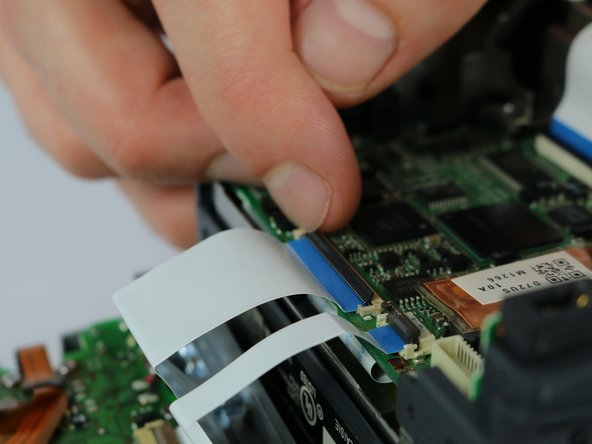
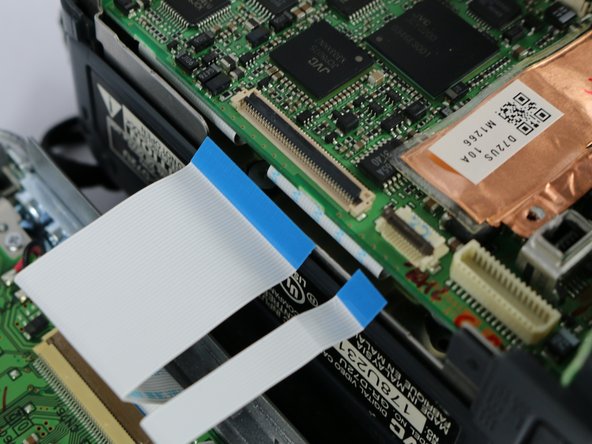
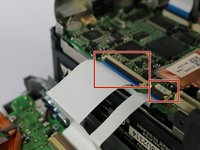
    7. JVC GR-D72U Lateral Function Port Panel Replacement: step 9, image 1 of 3 JVC GR-D72U Lateral Function Port Panel Replacement: step 9, image 2 of 3 JVC GR-D72U Lateral Function Port Panel Replacement: step 9, image 3 of 3
      Tool used on this step:
      Tweezers
      $4.99
      Buy
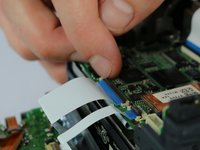
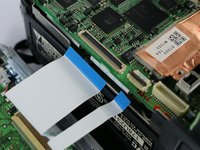
      • Flip the cable locks to the up-position and pull both cables connecting the lateral function port panel to the rest of the camera.

      • Insert the cables from the new port panel into their inputs and flip the locks to the down position.

      • It is easier to use tweezers when inserting the cable but not required.

      Ask FixBot

      Add Comment

Conclusion

To reassemble your device, follow these instructions in reverse order.

Cancel: I did not complete this guide.

2 other people completed this guide.

Joshua Hatcherian

Member since: 09/28/17

194 Reputation

1 Guide authored

Team

USF Tampa, Team S2-G2, Nance Fall 2017 Member of USF Tampa, Team S2-G2, Nance Fall 2017

USFT-NANCE-F17S2G2

4 Members

60 Guides authored

0 Guide Comments

Add Comment

View Statistics:

Past 24 Hours: 0

Past 7 Days: 5

Past 30 Days: 29

All Time: 944