Introduction
Experiencing battery issues with your JBL Xtreme 4? This guide here will help you replace your battery.
You can usually tell if the battery is faulty if the device only works while plugged into a power source. Be sure to review our Troubleshooting Guide to make sure that replacing the battery is necessary.
The JBL Xtreme 4 is powered by a lithium ion battery which could swell up if damaged. If you notice any swelling in the battery, exercise caution and consult This Guide before moving forward.
Before replacing your battery, make sure your device is disconnected from any external power source.
What you need
-
-
-
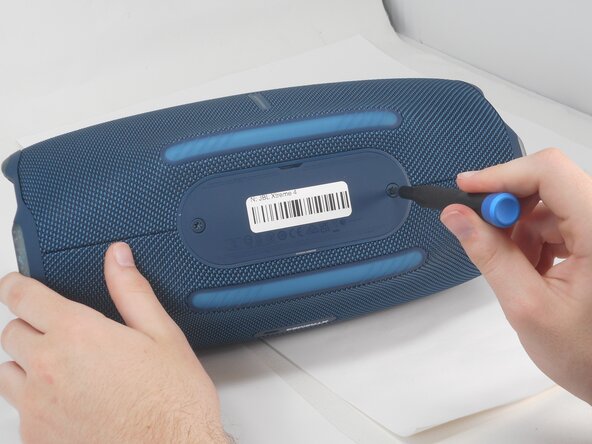
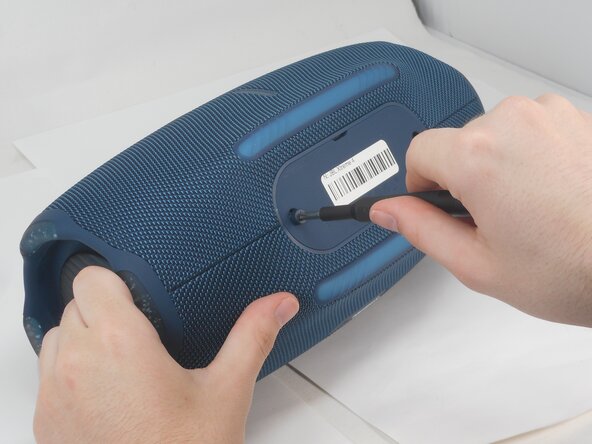
Use a T20 Torx screwdriver to remove the two 12.5 mm screws that secure the battery cover.
 Ask FixBot
-
-
-
-
Remove the battery by pinching the orange ribbon and gently pulling the battery upwards and out of its slot.
-
-



To reassemble your device, follow the above steps in reverse order.
For optimal performance, after completing this guide, calibrate your newly installed battery.
Take your e-waste to an R2 or e-Stewards certified recycler.
Repair didn’t go as planned? Try some basic troubleshooting or ask our Answers community for help.
Cancel: I did not complete this guide.
2 other people completed this guide.

Team

University of Memphis, Team 2-4, Sneed Spring 2025 Member of University of Memphis, Team 2-4, Sneed Spring 2025
UM-SNEED-S25S2G4
3 Members
72 Guides authored
