Introduction
If the battery in your JBL Xtreme 3 (JBLXTREME3BLKAM) portable Bluetooth speaker is failing or has completely died, this guide will instruct you on replacing the battery.
Please review information about proper battery disposal.
Warning: Please take precautions if you suspect a swollen battery.
What you need
-
-
-
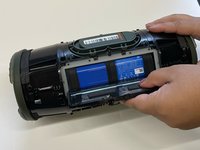
Begin by placing the speaker with the grooves on the bottom of the device facing towards you.
-
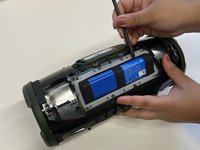
Use a spudger to carefully pry around the seams of the speaker to open and unlatch the outer shell.
-
Use your hands to finish removing the outer case of the device.
 Ask FixBot
-
-
-
-
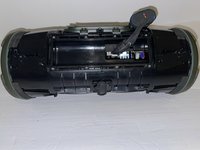
Use a spudger to carefully pry open the latch located above the control button as shown in the photo. Please be careful!!!
-
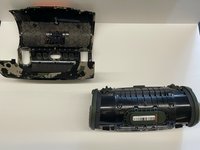
Remove the speaker from the shell.
-
-
-
Turn the device so that the control buttons are facing down.
-
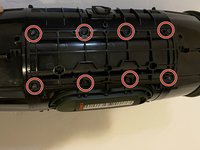
Use a Phillips #1 screwdriver to remove the eight 10 mm screws from the panel.
-
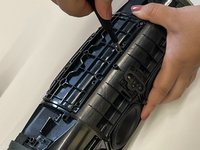
Carefully remove the panel.
-
-
-
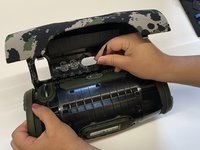
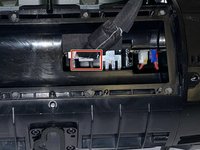
Use the plastic opening tool to press the white notch while simultaneously unplugging the battery connector.
-
-








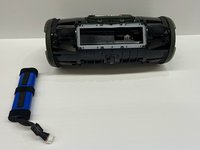
To reassemble your device, follow these instructions in reverse order.
Cancel: I did not complete this guide.
9 other people completed this guide.

Team

Western Carolina University, Team 1-2, Virtue Fall 2022 Member of Western Carolina University, Team 1-2, Virtue Fall 2022
WCU-VIRTUE-F22S1G2
4 Members
60 Guides authored
