Introduction
This guide will show you how to open up JBL Wave Beam aka Vibe Beam earbuds and change a dead battery. Although the process is the same for most JBL earbuds, the batteries you need might be different so make sure to look at the markings and get ones with the right voltage.
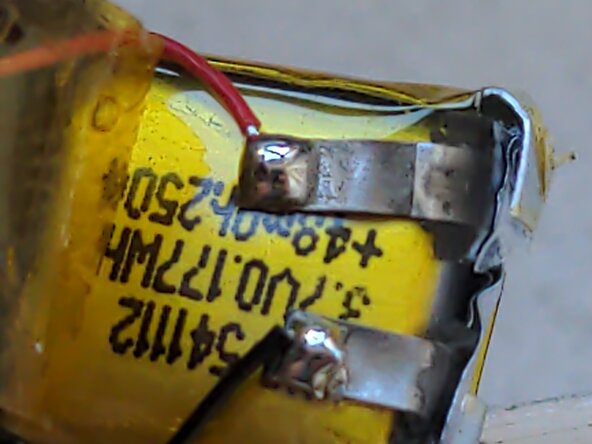
In this case the batteries are marked with 541112 (5.4mmx11mmx12mm) with 3.7v voltage. Make sure to order a battery that is the same size or smaller.
Check out Ifixit's guide to soldering:
What you need
-
-
-
Turn off the earbuds by holding down on the touchpad until they make a noise.
-
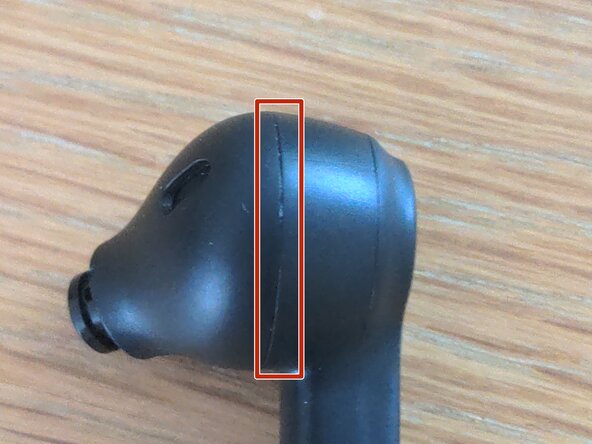
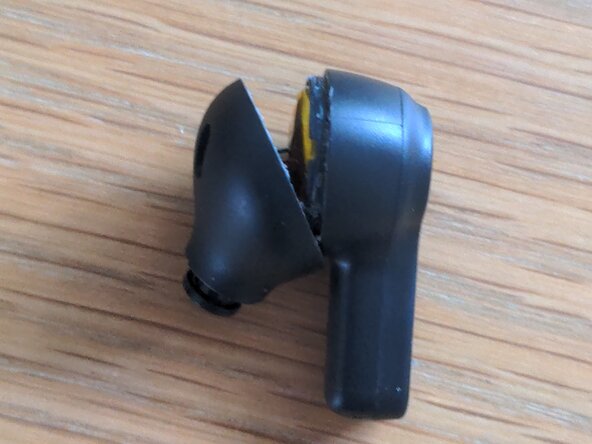
Locate the seam shown in the photo, near the speaker area
-
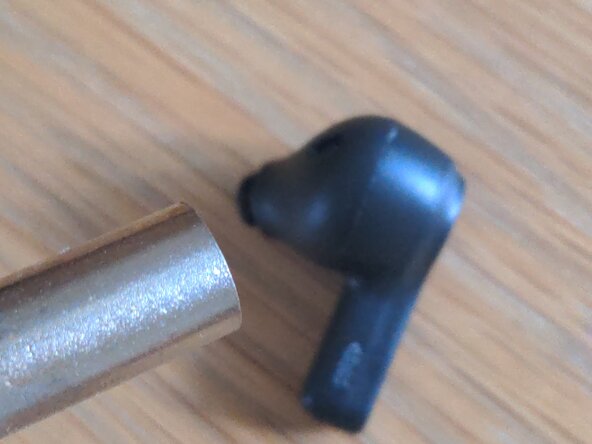
Set your heat gun to around 150℃ and heat around this seam for about a minute. Be carefult not to use too much heat and melt the plastic!
 Ask FixBot
-
-
-
Hold the earbud by the stem and push firmly on the part where the speaker protrudes out. The earbud should pop open, giving you access to the speaker and battery.
-
-
-
-
The next steps will show you how to replace the battery. If you want to replace the speaker instead, although I haven't tried to, I would recommend applying more heat and alcohol, then pulling on the wires to lift it out. Replace it with the correct size of driver (8mm).
-
Peel off the yellow Kapton tape around the battery, so that you expose the two solder points like in the photo.
-
Using your soldering iron, melt each of the pads to disconnect the wires.
-
-
-
Your new battery should come with solder tabs - make sure to solder the red wire to the positive terminal, and black to negative (check the markings on the new battery)
-
Test the earbuds to make sure they work with the new battery
-
Cover the solder points with Kapton tape and push the battery in place.
-
-
To reassemble your device, follow these instructions in reverse order.
Use silicone glue to re-seal the earbuds, if you care about water resistance.