Introduction
In this guide you will replace the battery pack in your JBL headphones. The battery is a very common source of issues in headphones with users, so replacing it might solve your problem. It is a relatively easy fix, and cheap replacement. The process should only require a jimmy tool.
What you need
-
-
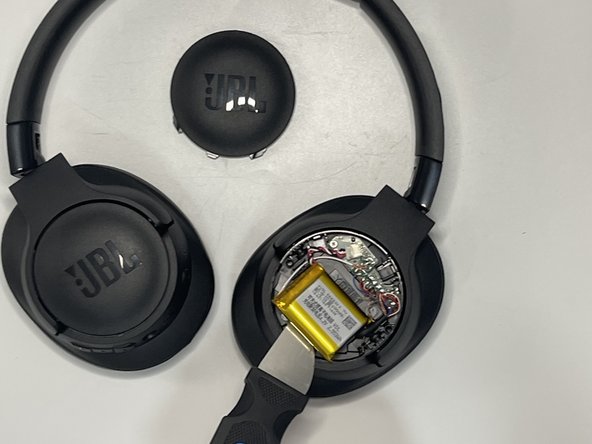
Insert a spudger into the seam of the LEFT JBL side plate.
-
Maneuver the tool around side to side in order to loosen the clips inside the plate, working your way around the circular edges.
-
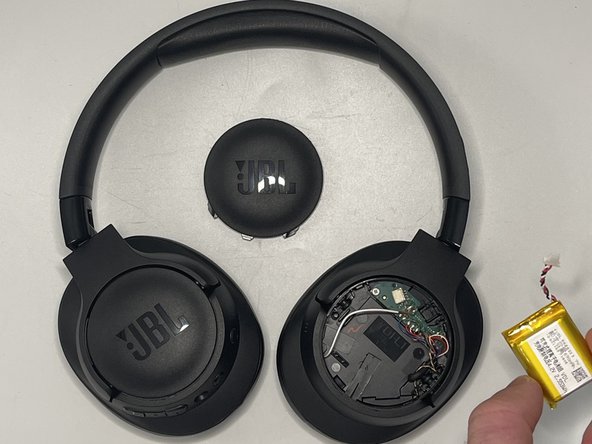
When the plate fully releases, lift it off.
 Ask FixBot
-
-
-
-
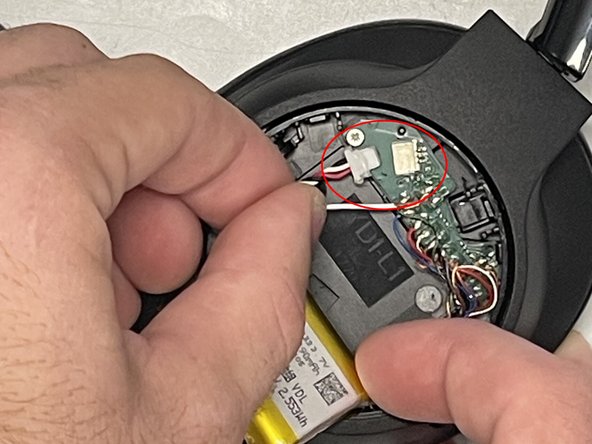
Use your fingernails to gently "walk" the battery connector directly out of its socket.
-




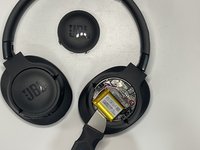
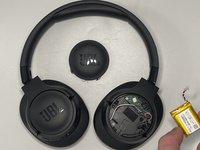
To reassemble your device, follow the above steps in reverse order.
For optimal performance, after completing this guide, calibrate your newly installed battery.
Take your e-waste to an R2 or e-Stewards certified recycler.
Repair didn’t go as planned? Try some basic troubleshooting or ask our Answers community for help.
Cancel: I did not complete this guide.
One other person completed this guide.

Team

University of North Texas, Team 7-5, Kilpatrick Fall 2024 Member of University of North Texas, Team 7-5, Kilpatrick Fall 2024
UNT-KILPATRICK-F24S7G5
4 Members
7 Guides authored
2 Guide Comments
Please share battery side wiring
Please share battery side wiring colour code
