Introduction
If your JBL Tune 720BT headphones no longer charge, charge intermittently, or the charging cable feels loose when connected, the charging port may be damaged or worn out. This guide will walk you through the process of removing the internal components, accessing the charging port, and replacing it so your headphones can function normally again.
This repair requires opening the ear cups, disconnecting the battery, and using a soldering iron to remove and install delicate electronic components. Work slowly, use the correct tools, and handle all cables and circuit boards with care to avoid damage.
With patience and proper technique, you can restore charging capability to your JBL Tune 720BT headphones.
What you need
-
-
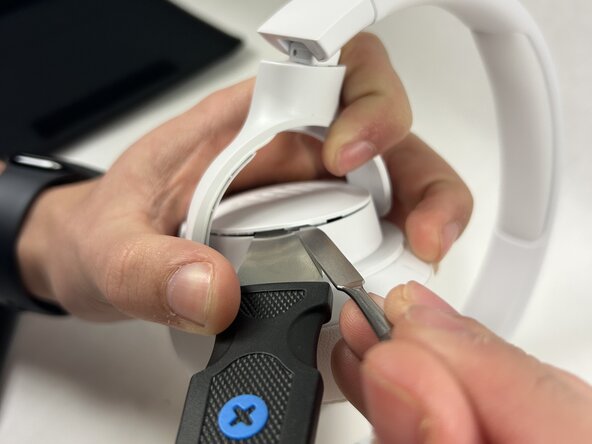
Use the Jimmy tool to pry off the back cover of the right ear cup. Apply gentle, steady pressure to release the plastic clips securing the cover.
 Ask FixBot
-
-
-
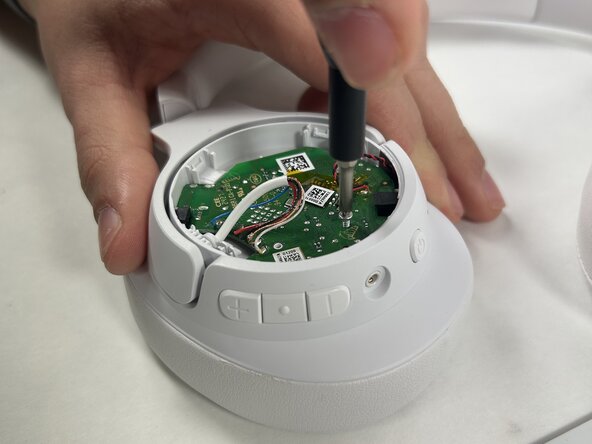
Remove the screws securing the internal board while holding the board in place. Lift off the inside cover to expose the internal components.
-
-
-
-
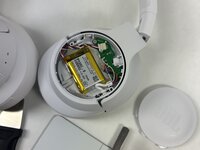
Use the Jimmy tool to remove the back cover of the left ear cup to reveal the battery. Disconnect the battery by gently pulling the red, white, and black wires out of their socket.
-
-
-
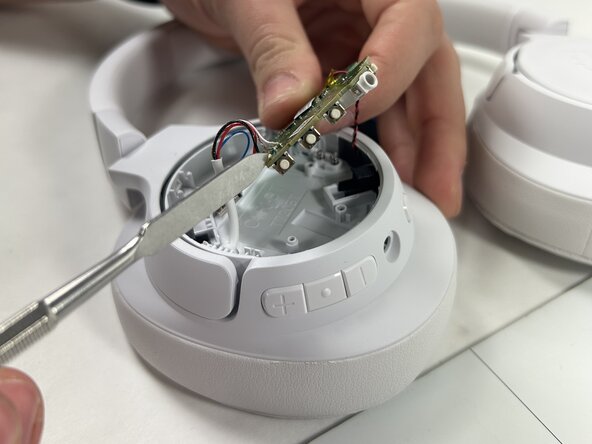
Back on the right side, gently flip the board to reveal the charging port.
-
Set the board onto a comfortable position for the next step.
-






To reassemble your device, follow these steps in reverse order. Make sure all connectors are secure and that no cables are pinched before snapping the covers back into place.

Team

UMass Dartmouth, Team 1-2, Rioux Spring 2025 Member of UMass Dartmouth, Team 1-2, Rioux Spring 2025
UMASSD-RIOUX-S25S1G2
4 Members
3 Guides authored
