Free Shipping on Domestic Orders $75+

JBL Tune 600btnc Battery Replacement

  1. JBL Tune 600btnc Battery Replacement, Remove left hand ear cup: step 1, image 1 of 1
    • This can be done by prying at the base of the ear cup and moving around in a circle.

  2. JBL Tune 600btnc Battery Replacement, Remove the driver.: step 2, image 1 of 3 JBL Tune 600btnc Battery Replacement, Remove the driver.: step 2, image 2 of 3 JBL Tune 600btnc Battery Replacement, Remove the driver.: step 2, image 3 of 3
    • once the screws are loosened. Pry at the base of the driver to release the plastic tabs.

    • Loosen the three screws. Note the position of the wire feeding the driver.

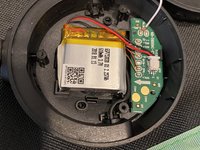
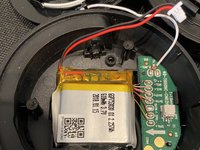
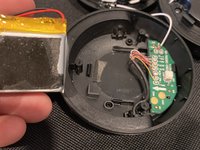
  3. JBL Tune 600btnc Battery Replacement, Remove the battery.: step 3, image 1 of 3 JBL Tune 600btnc Battery Replacement, Remove the battery.: step 3, image 2 of 3 JBL Tune 600btnc Battery Replacement, Remove the battery.: step 3, image 3 of 3
    • There is a small amount of adhesive on the backside of the battery.

Conclusion

To reassemble your device, follow these instructions in reverse order.

2 other people completed this guide.

Nick Farfaglia

Member since: 08/15/21

151 Reputation

1 Guide authored

2 Guide Comments

thanks! Where I can get the battery?

Simonas Bisikirskas - Reply Share

Use any search engine of your choice.

sonickrnd - Share

Add Comment

View Statistics:

Past 24 Hours: 4

Past 7 Days: 22

Past 30 Days: 143

All Time: 6,044