Introduction
The charging port on the JBL Pulse 3 is located on the side of the base by the speakers. It is located among the push buttons on the side of the JBL Pulse 3.
What you need
-
-
-
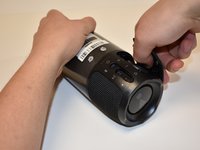
Lay the JBL Pulse 3 on its side as shown in the picture.
-
Use a plastic opening tool to lift the top right corner of the speaker grill. A small amount of force is necessary to remove the grill.
 Ask FixBot
-
-
-
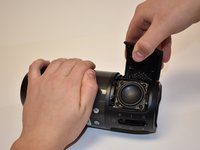
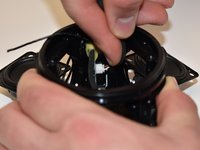
After pulling the right side of the grill off, place thumb underneath grill as shown in the picture.
-
Lift and pull straight out to pull grill off the posts.
-
-
-
Repeat steps 1-3 for the left side of the speaker grill on the JBL Pulse 3. The speaker grill should now be completely removed from the JBL Pulse 3.
-
-
-
-
-
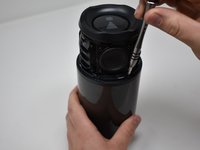
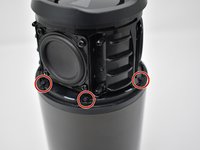
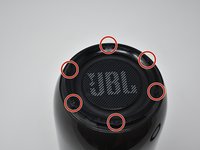
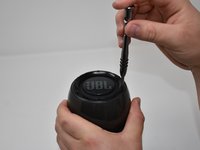
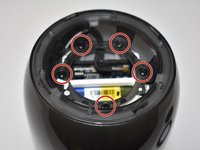
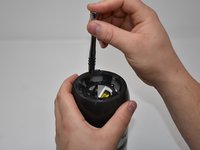
Use a Phillips #00 screwdriver to remove the six black 6mm screws on the inside of the top of the bottom section.
-
-
-
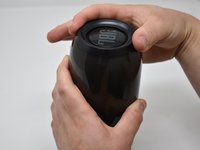
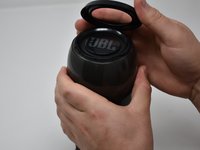
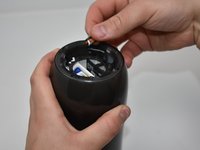
Turn the JBL Pulse 3 right-side up and unscrew the top ring of the device. A small amount of force and/or a cotton cloth may be necessary to remove this piece.
-
-
-
Remove the six 5mm screws on top of the JBL Pulse 3 with a Phillips #0 screwdriver.
-
-
-
-
Remove the five 7mm screws on the inside of the JBL Pulse 3 with a Phillips #1 screwdriver.
-
-
-
Peel off black, taped-on electrical lead from the inside side of the JBL Pulse 3.
-
-
-
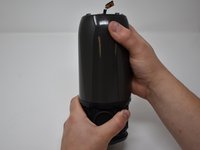
Pull the top section of the JBL Pulse 3 up. The outside casing to the JBL Pulse 3 should now be removed.
-
-
-
-
-
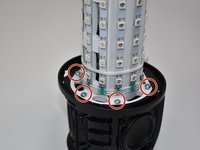
Use a Phillips #2 screwdriver to remove the six 11 mm screws that circle the bottom of the LED light display.
-
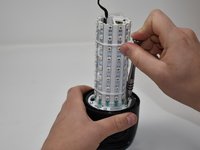
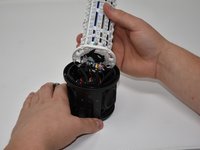
Pull the LED light display off of the JBL Pulse 3 base.
-
-
Tool used on this step:Tweezers$4.99
-
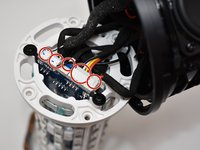
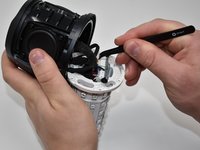
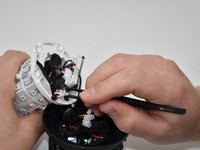
Use tweezers to pull the five connections off of the LED light display.
-
-
-
-
-
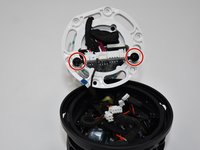
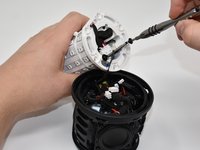
Using a Phillips #0 screwdriver, remove the two black 8mm screws on the bottom of the LED light display.
-
-
Tool used on this step:Tweezers$4.99
-
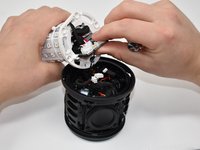
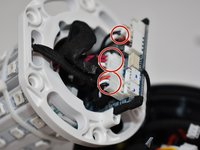
Pull out the motherboard slightly from the LED light display as shown. Using tweezers, unplug the three connections attached to the motherboard.
-
-
-
Pull the rest of the motherboard out from the LED light display.
-
Using wire cutters, snip the black wire connecting to the base of the JBL Pulse 3 at the base of the motherboard. The motherboard should now be removed from the JBL Pulse 3.
-
-
-
-
-
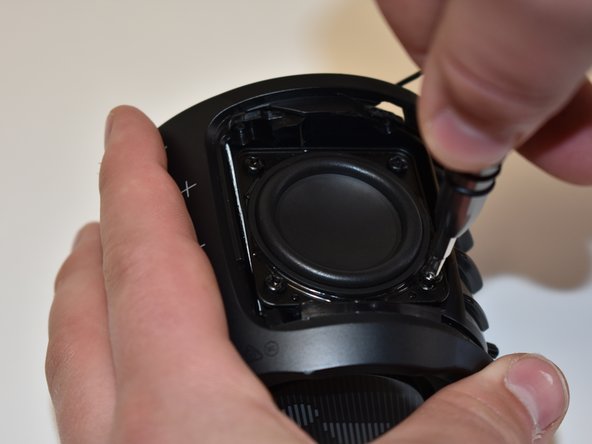
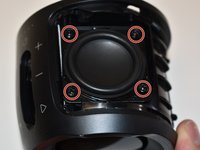
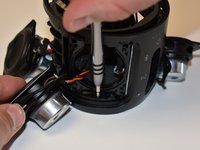
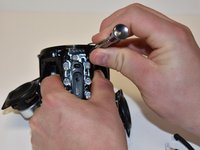
Using a Phillips #2 screwdriver, remove the four 10mm screws on the corner of the speaker on the side of the base of the JBL Pulse 3.
-
-
-
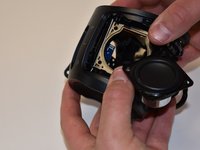
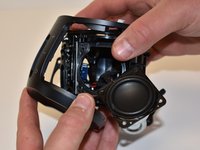
Pull out the speaker and cut the black and red wire with wire cutters. The speaker should now be removed from the JBL Pulse 3.
-
-
-
-
-
Repeat the steps to take out all three speakers on the base of the JBL Pulse 3.
-
Using a Phillips #0 screwdriver, remove the 6 mm screw under each of the three speakers around the base of the JBL Pulse 3.
-
-
-
Grab the outside of the JBL Pulse 3 at the bottom and pull outward until the outside button cover comes off.
-
-
-
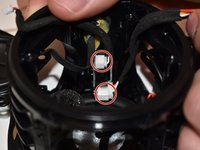
Disconnect the two connections from the inside side of the base of the JBL Pulse 3 by pushing on the wire with your index finger in the opposite direction of the connection.
-
-
-
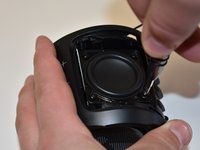
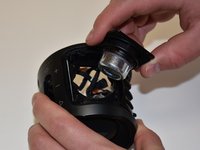
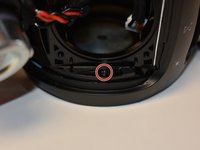
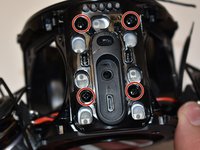
Using a Phillips #1 screwdriver, remove the four 10mm screws by the push buttons on the side of the base of the JBL Pulse 3.
-
-
-
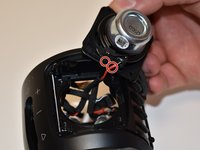
Pull off the inside button cover with the attached charging port. The charging port should now be removed.
-
-

































To reassemble your device, follow these instructions in reverse order.
Cancel: I did not complete this guide.
6 other people completed this guide.

Team

Central Washington University, Team S1-G2, Pengilly Fall 2018 Member of Central Washington University, Team S1-G2, Pengilly Fall 2018
CWU-PENGILLY-F18S1G2
3 Members
72 Guides authored
5 Guide Comments
And how to put it back with cut cable?
Good very good
I've done a teardown and was able to access the charging terminal without cutting any wires. I didn't have a replacement, so I just put it back together hoping that cleaning it would work. Didn't work.
Yeah its obvious they need to use a C type port they aren't as easy to tear up
You do not have to tear it completely down unless I have a newer version after you take the speaker grill out from around the unit the thin black skeleton like gram that stiffened the grill will actually unclip from the unit with a hook tool or a ice pick that's been heated up and put a slight bend in it take your time because you can break the frame but even if you do its what they make jb weld and gorilla glue for I broke mine but went back together fine after letting the glue set up sprinkled some baking soda on it and made it twice as strong you've only got 4 screws this way cause they well the replacement plug for around $12 don't know why they don't go ahead and use the C type port smh when these came out they was already selling the replacement plug lol
