
JBL L26 Speaker Replacement

Nathnael Dubale and one other contributor
Last updated on Dec 9, 2020
Views: 2.1K
View statistics:
- Past 24 Hours:
- 6
- Past 7 Days:
- 24
- Past 30 Days:
- 81
- All Time:
- 2,134
Comments: 0
No one has left comments on this guide. Will you be first?
Go to guide commentsCompleted: 1 2
1 person has marked this guide "completed." Will you be next?
2 people have marked this guide "completed." Including you — great job!
Favorites: 0 1
No one has favorited (and subscribed to) this guide. Will you be the first?
1 person has favorited (and subscribed to) this guide — and that's you!
Introduction
Go to step 1 ↓This guide will show you the step by step process of replacing a speaker for a JBL L26 speaker system. The process won’t be too difficult, but be careful when removing parts such as the terminal connector because they are fragile. There are similar JBL speakers like the model L40 which follow the same steps.
What you need
Tools


-
-
-
Remove the four 6.4 mm Phillips #2 screws from the front of the speaker.
 Ask FixBot
-
-
-
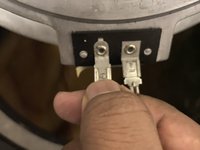
Unlatch the green wire by pulling on the terminal connector and not the wire.
-
-
-
-
Use a small prying tool to pry the terminal connector off of the tap.
-
After you unlatched both edges, pull the black wire out.
-
-
-
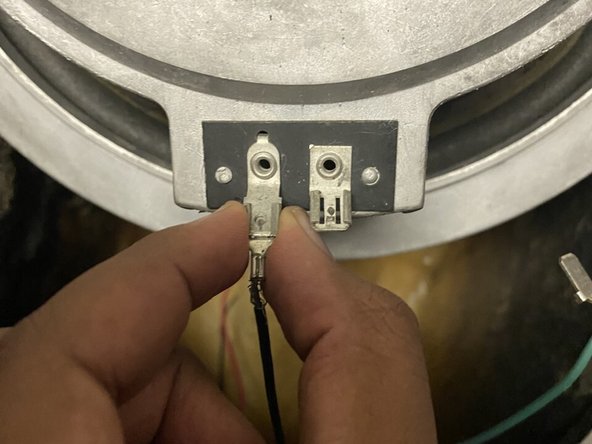
Get your replacement speaker and connect the green wire by pushing the terminal connector onto the tap.
-
-
-
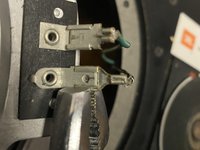
Connect the black wire by attaching the terminal connector onto the tap.
-
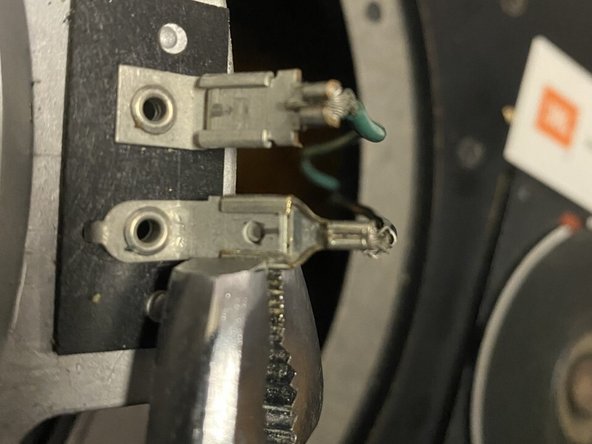
Use a clamping tool to clip the edges toward the tap.
-
-
-
Place the new speaker onto the frame and screw the four 6.4 mm Phillips #2 screws back in.
-
-





To reassemble your device, follow these instructions in reverse order.
Cancel: I did not complete this guide.
One other person completed this guide.

Team

York University, Team S2-G45, Melo-Thaiss Fall 2020 Member of York University, Team S2-G45, Melo-Thaiss Fall 2020
YORK-MELO-THAISS-F20S2G45
1 Member
12 Guides authored
