
JBL Grip Battery Replacement

Isaac Loma and 4 other contributors
Last updated on May 26, 2026
Views: 547
View statistics:
- Past 24 Hours:
- 5
- Past 7 Days:
- 29
- Past 30 Days:
- 140
- All Time:
- 547
Comments: 0
No one has left comments on this guide. Will you be first?
Go to guide commentsCompleted: 0 1
No one has marked this guide "completed." Will you be the first?
1 person has marked this guide "completed." It's you — great job!
Favorites: 0 1
No one has favorited (and subscribed to) this guide. Will you be the first?
1 person has favorited (and subscribed to) this guide — and that's you!
Featured Student Guide
This guide has been the hard work of our awesome students and is found to be exceptionally cool by the iFixit staff.
Introduction
Go to step 1 ↓This guide will show you how to safely remove and replace the battery in your JBL Grip speaker. You may need to perform this repair if your speaker no longer holds a charge, powers off unexpectedly, or fails to turn on.
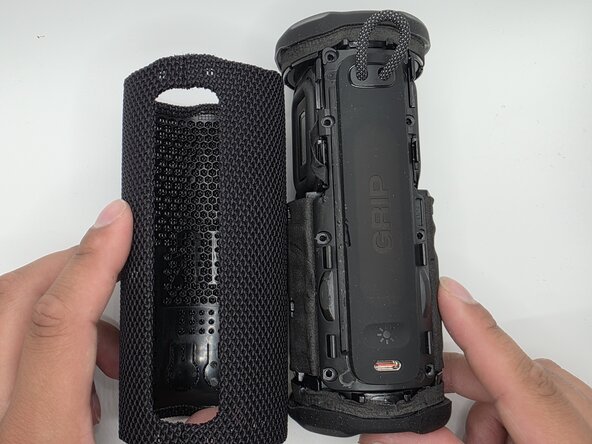
The battery is located inside the device and requires removing the outer case and internal components to access it. During this process, you will disconnect delicate cables and remove several screws, so handle all components carefully to avoid damage.
What you need
Tools


-
-
-
-
Remove the eight 6mm screws securing the panel with a Phillips #2 screwdriver.
-
-
-
Flip up the black latches securing the two blue cables connected to the panel.
-
-
-
-
-
-
Unplug the wires from their socket.
-
Once the wire is unplugged, safely remove it.
-


 Ask FixBot



To reassemble your device, follow these instructions in reverse order.

Team

University of North Texas, Team 1-4, Kilpatrick Spring 2026 Member of University of North Texas, Team 1-4, Kilpatrick Spring 2026
UNT-KILPATRICK-S26S1G4
5 Members
96 Guides authored
