Introduction
This is a guide to replace the motherboard of the JBL GO 4 Speaker.
This should be considered when the speaker has charging issues, power failures, audio distortion, or other such problems. This is generally considered a last resort
Please check out our troubleshooting page for more tips.
Note: The device used in this guide is a non-genuine model, so the internal components may look different from those in your authentic device. However, the replacement procedure remains roughly the same and should still apply to your device.
What you need
-
-
-
-
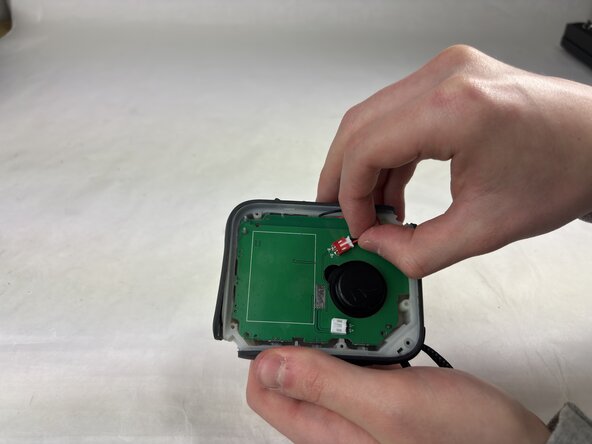
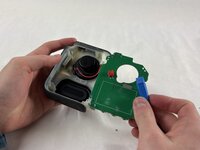
Gently remove the white and red pieces from their connectors on the motherboard with your hands.
-
-
-
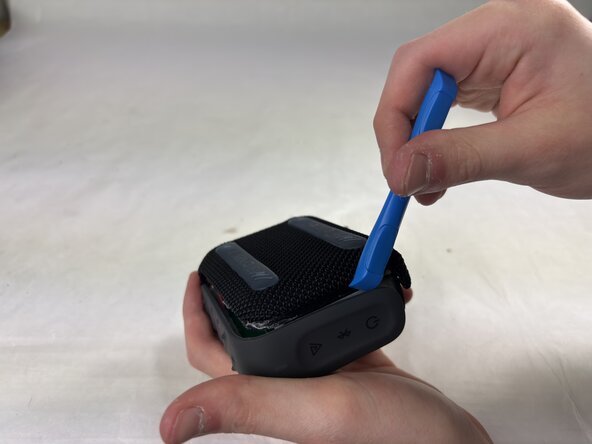
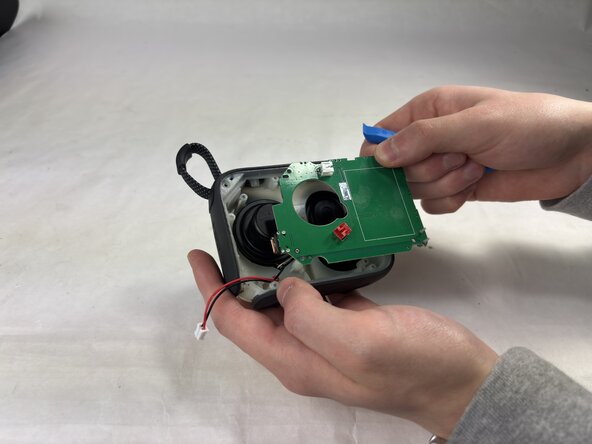
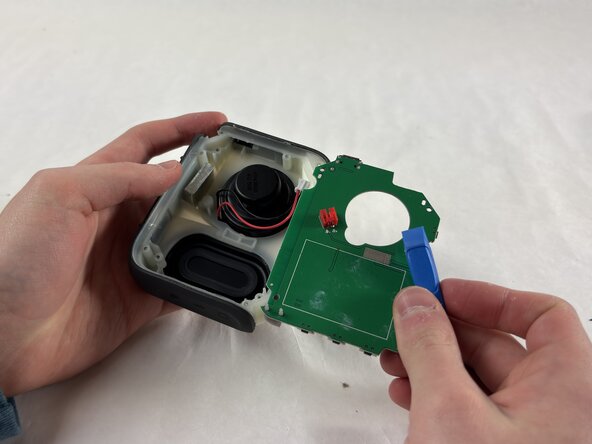
Use an opening tool to pry the motherboard away from the rest of the speaker.
-



 Ask FixBot



To reassemble your device, follow these instructions in reverse order. Take your e-waste to an R2 or e-Stewards certified recycler.

Team

UMass Dartmouth, Team 4-1, Konn Spring 2025 Member of UMass Dartmouth, Team 4-1, Konn Spring 2025
UMASSD-KONN-S25S4G1
4 Members
36 Guides authored
