
JBL Go 2 Driver Replacement

Elisa Llanes and 3 other contributors
Last updated on Jun 25, 2026
Views: 630
View statistics:
- Past 24 Hours:
- 6
- Past 7 Days:
- 47
- Past 30 Days:
- 200
- All Time:
- 630
Comments: 0
No one has left comments on this guide. Will you be first?
Go to guide commentsCompleted: 0 1
No one has marked this guide "completed." Will you be the first?
1 person has marked this guide "completed." It's you — great job!
Favorites: 0 1
No one has favorited (and subscribed to) this guide. Will you be the first?
1 person has favorited (and subscribed to) this guide — and that's you!
Introduction
Go to step 1 ↓The internal speaker driver in a JBL Go 2 is the core component that converts electrical signals into audio vibrations. Over time, the driver can wear out or become damaged. This can lead to distorted audio issues. Replacing the internal driver is an effective way to restore the speaker’s performance and deliver clear audio.
What you need
Tools


-
-
-
Use a Phillips head screwdriver and unscrew the internal 9mm screws on each corner of the speaker.
-
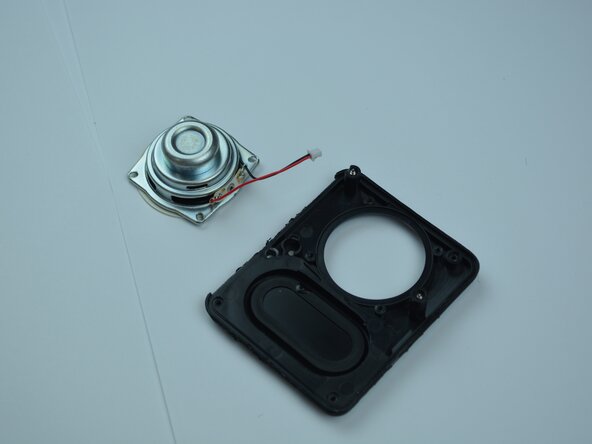
After all four 9mm screws are detached, separate the speaker housing from the rest of the speaker.
-
-

 Ask FixBot




To reassemble your device, follow these instructions in reverse order.

Team

Texas Tech, Team 8-3, Johansen Spring 2026 Member of Texas Tech, Team 8-3, Johansen Spring 2026
TTU-JOHANSEN-S26S8G3
5 Members
48 Guides authored
