Introduction
Has the battery life of your device become unusable? Does the battery seem to refuse to charge? A faulty battery is possibly the cause of these power issues. As the battery undergoes more cycles, it holds less charge.
What you need
-
-
-
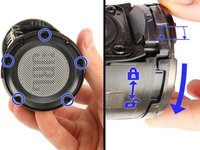
Insert the plastic opening tool in the crack in between the cover and the rubber spine with the power button.
-
Pry off the cover, beginning with the side without the volume and bluetooth buttons.
-
Pull the cover off with your thumbs.
 Ask FixBot
-
-
-
Remove four 13 mm JIS #0 screws attaching the rubber spine to the speaker, located on both sides of the inside of the speaker.
-
Use the plastic opening tool to release the clips holding the central part of the rubber spine.
-
Pry away one end of the rubber spine with your thumbs and it should come off.
-
-
-
-
-
-
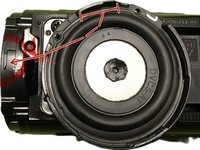
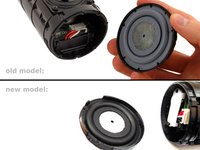
The end cap opposite to the USB port: Twist - or - remove screws from the cap. (depends on your model-version: only older version have 9mm Phillips #1 screws)
-
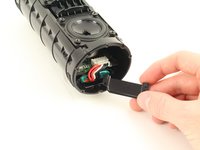
Pull the end cap off with your hands.
-
-
-
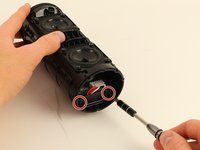
Remove two 11mm Phillips #1 screws on the battery cover.
-
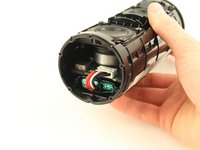
Pull the battery cover off with your hands.
-
-
-
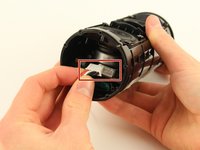
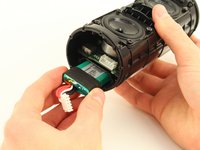
Remove the large white plug that connects the wires from the battery to the main board using your hands.
-
Pull the battery out with your hands.
-
In this case: You can pushing out the Battery, which we documented in an extra guide.
-
A short preview: You can remove the other radiator, unscrew the charging port and gently pull it out just a bit so a pencil (flat end) can fit in and push out the battery from this side.
-
More details and pictures in the separated extra guide.
-
-






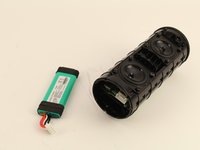
To reassemble your device, follow these instructions in reverse order.
Cancel: I did not complete this guide.
201 other people completed this guide.

Team

Cal Poly, Team S4-G3, White Fall 2018 Member of Cal Poly, Team S4-G3, White Fall 2018
CPSU-WHITE-F18S4G3
4 Members
60 Guides authored
80 Guide Comments
No it isn’t. but the black rubber around it makes it really hard to get out. try to push it from the otherside by removing the charging-port.
Be careful not to pierce the battery
Yes with me the battery was glued
Did you find the cable of the power button?
