What you need
-
-
-
Using a pry opening tool, pry into the speaker grill covering as seen in the photos.
 Ask FixBot
-
-
-
Continue to pry open the grill all the way around until it can be removed from the unit itself as seen in the pictures.
-
-
-
-
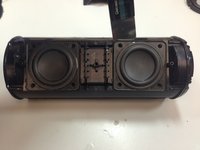
Remove all 8 speaker screws using a Philips 00 screwdriver.
-
-
-
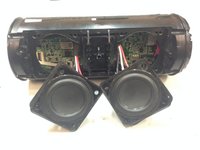
Using a pry tool, remove speakers from housing as seen in the picture.
-
-
Tool used on this step:Tweezers$4.99
-
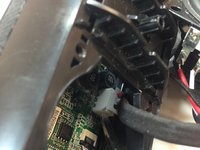
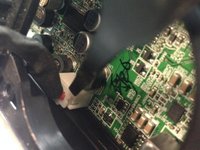
Using tweezers, carefully remove both side speakers from the motherboard as shown in the pictures.
-
-




To reassemble your device, follow these instructions in reverse order.
Cancel: I did not complete this guide.
21 other people completed this guide.

Team

Mobile Device Repair Factory Member of Mobile Device Repair Factory
Business
1 Member
96 Guides authored
21 Guide Comments
where did you get the drivers from?
Sir
My JBL speaker is brust plz help me
My JBL speaker is brust plz help me
My JBL speaker is brust plz help me ….
