Introduction
This guide is to help you replace the motherboard in a JBL Clip 3 speaker.
If none of your devices will connect to your JBL Clip 3 speaker, the problem could be a faulty Bluetooth chip in the motherboard. Before using this guide, try connecting alternative devices to ensure that it is, in fact, the JBL Clip 3 that will not connect. Once you confirm that the problem is specifically with the JBL Clip speaker, use this guide to replace the motherboard.
Note: Before beginning, make sure to power off the JBL Clip 3, and disconnect it from any external power sources.
What you need
-
-
Insert the iFixit opening tool between the speaker grill and speaker housing and pry around the entire perimeter of the device until the grill releases.
 Ask FixBot
-
-
-
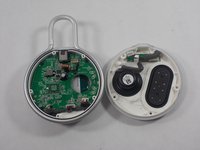
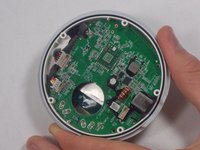
Use a Phillips #1 screwdriver to remove the five 6.3 mm screws around the perimeter.
-
-
-
Tool used on this step:Tweezers$4.99
-
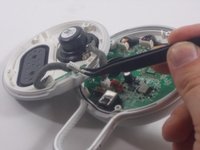
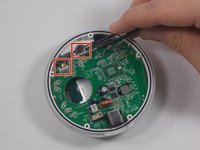
Use tweezers to remove the 2 pin and 4 pin connectors from the motherboard.
-
-
Tool used on this step:Tweezers$4.99
-
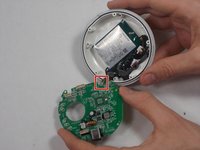
Use a pair of tweezers to release the two cable connections from the motherboard.
-
-
-
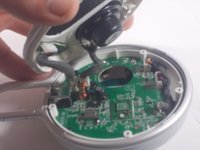
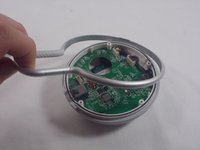
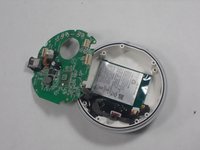
Lift the motherboard away from the speaker housing.
-
Desolder the two contact points.
-








To reassemble your device, follow these instructions in reverse order.
Cancel: I did not complete this guide.
One other person completed this guide.

Team

UMass Dartmouth, Team 1-5, Petersen Spring 2022 Member of UMass Dartmouth, Team 1-5, Petersen Spring 2022
UMASSD-PETERSEN-S22S1G5
3 Members
10 Guides authored
