What you need
-
-
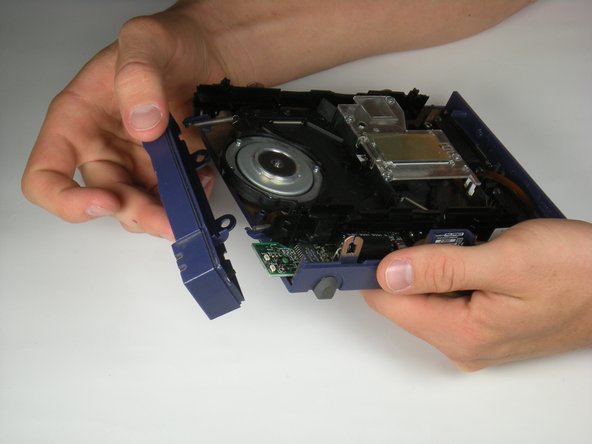
Push in the plastic tab that can be seen through cracks in the front left corner using a spudger.
 Ask FixBot
-
-
-
Tilt the front case down until the pegs detach from the bottom of the case.
-
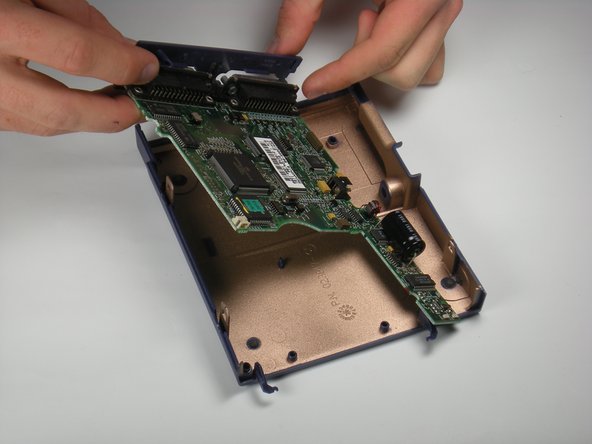
Lift up and outward.
-
-
-
-
There is a white tab connected to the motherboard. Pull it upward by gently rocking it back and forth.
-
-
Tool used on this step:Tweezers$4.99
-
Disconnect the white wires by using tweezers to gently pull the bottom connector toward you.
-
-
-
Disconnect the thin ribbon wire by using tweezers to gently pull the connector at the bottom toward you.
-
-
-
Use a T6 Torx Screwdriver to remove the 1.3 mm screw at the back of the motherboard.
-






To reassemble your device, follow these instructions in reverse order.

Team

Cal Poly, Team 7-53, Amido Fall 2010 Member of Cal Poly, Team 7-53, Amido Fall 2010
CPSU-AMIDO-F10S7G53
4 Members
6 Guides authored
1 Guide Comment
how to fix the motherboard if booth leds stay lit when powering up?
