
Instax Mini 90 Battery Replacement

Elliott Tegan-Tawney and 4 other contributors
Last updated on Jun 2, 2017
Views: 15K
View statistics:
- Past 24 Hours:
- 4
- Past 7 Days:
- 43
- Past 30 Days:
- 170
- All Time:
- 14,709
Comments: 1
1 guide comment.
Go to guide commentsCompleted: 2 3
2 people have marked this guide "completed." Will you be next?
3 people have marked this guide "completed." Including you — great job!
Favorites: 0 1
No one has favorited (and subscribed to) this guide. Will you be the first?
1 person has favorited (and subscribed to) this guide — and that's you!
Introduction
Go to step 1 ↓A fully charged battery of the specific model is required for this guide. The model should be a Fujifilm Lithium Ion battery pack (NP-45A or NP-45S). The replacement is simple, but if you do not have the proper battery, you will get an error notification from the camera. To make the battery last for its entire useful life, keep the camera in a cool, clean, indoor environment, and remove it when the camera is left alone for long periods of time.
What you need
Parts
-
-
-
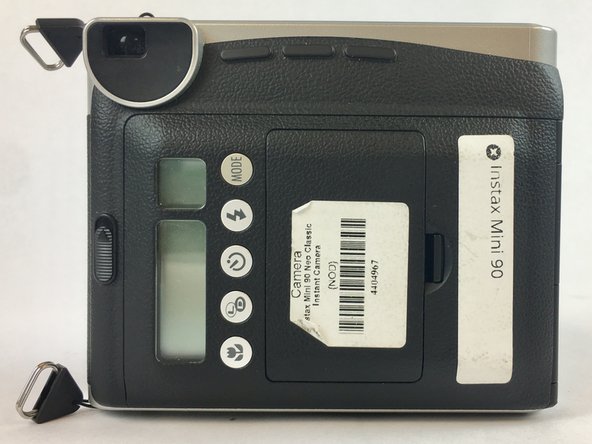
The battery compartment can be found on the backside of the camera. Pinpoint this compartment and focus on the right edge of the compartment gate to find the opening latch.
 Ask FixBot
-
-
-
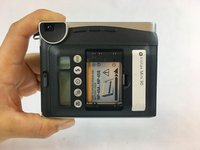
Pinch the latch in towards the battery compartment gate. This will release the gate and allow it to open.
-
Completely open the gate and remove from camera for ease of insertion of the battery.
-
-
-
-
Insert the battery into the battery compartment by following the diagram printed on the camera.
-
Be sure to connect the correct terminals of the battery to the camera.
-
Reattach battery compartment door to the camera and close firmly. A clicking sound will result when compartment door has been closed fully.
-
-


To reassemble your device, follow these instructions in reverse order.
Cancel: I did not complete this guide.
2 other people completed this guide.

Team

USF Tampa, Team S2-G1, Nance Spring 2017 Member of USF Tampa, Team S2-G1, Nance Spring 2017
USFT-NANCE-S17S2G1
4 Members
72 Guides authored
