Free Shipping on Domestic Orders $75+

Insignia NS-DS9PDVD15 Disc Reader Replacement

What you need

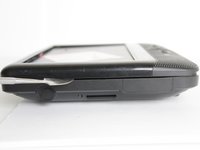
  1. Insignia NS-DS9PDVD15 Disc Reader Replacement, Bottom Cover: step 1, image 1 of 2 Insignia NS-DS9PDVD15 Disc Reader Replacement, Bottom Cover: step 1, image 2 of 2
    • Turn the power off. Slide the power button to OFF.

    Ask FixBot

    Add Comment

  2. Insignia NS-DS9PDVD15 Disc Reader Replacement: step 2, image 1 of 2 Insignia NS-DS9PDVD15 Disc Reader Replacement: step 2, image 2 of 2
    • Unplug AC adapter from car cigarette lighter.

    Ask FixBot

    Add Comment

  3. Insignia NS-DS9PDVD15 Disc Reader Replacement: step 3, image 1 of 1
    • Make sure there is no DVD or CD in the disc tray

    Ask FixBot

    Add Comment

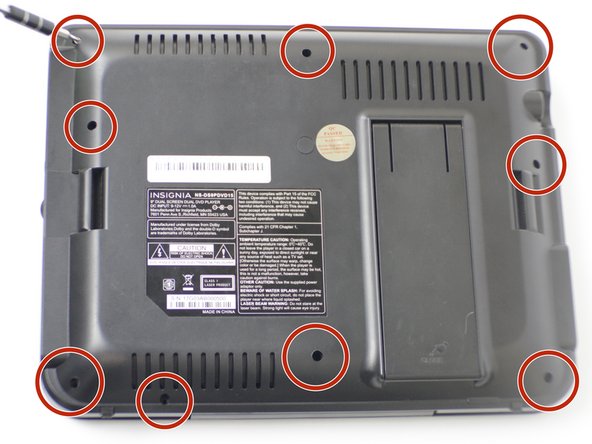
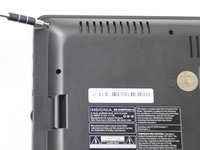
  4. Insignia NS-DS9PDVD15 Disc Reader Replacement: step 4, image 1 of 2 Insignia NS-DS9PDVD15 Disc Reader Replacement: step 4, image 2 of 2
    • Unscrew the nine 9mm screws with a JIS #000 screwdriver.

    Ask FixBot

    Add Comment

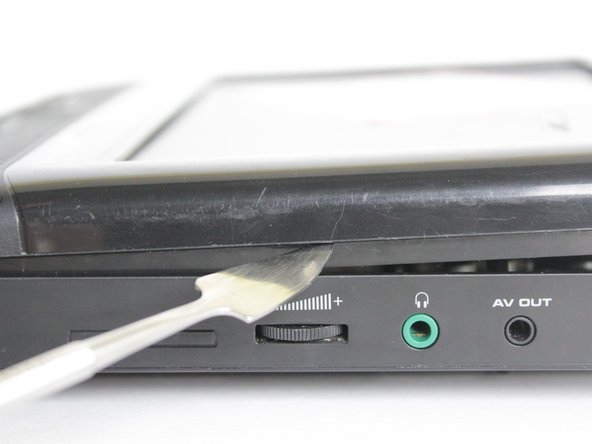
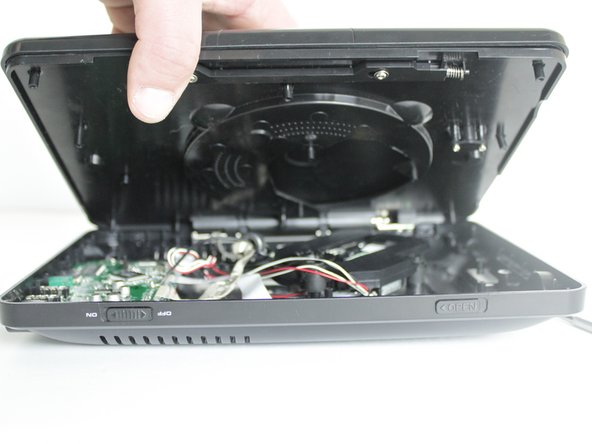
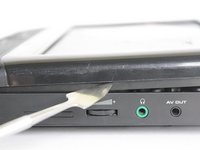
  5. Insignia NS-DS9PDVD15 Disc Reader Replacement: step 5, image 1 of 3 Insignia NS-DS9PDVD15 Disc Reader Replacement: step 5, image 2 of 3 Insignia NS-DS9PDVD15 Disc Reader Replacement: step 5, image 3 of 3
    • Pry off back panel with prying tool, then remove by hand.

    Ask FixBot

    Add Comment

  6. Insignia NS-DS9PDVD15 Disc Reader Replacement, Disc Tray: step 6, image 1 of 2 Insignia NS-DS9PDVD15 Disc Reader Replacement, Disc Tray: step 6, image 2 of 2
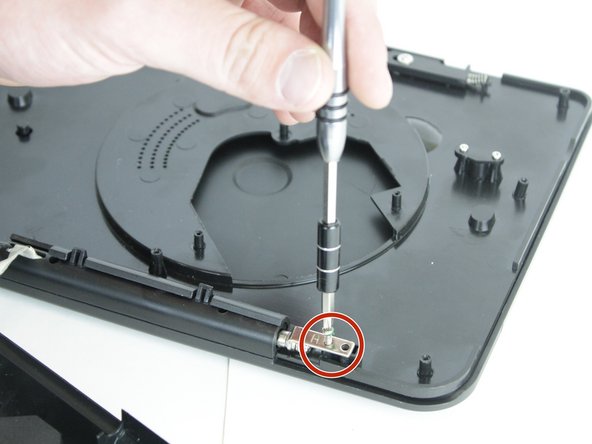
    • After the back is removed and the disk tray is loose from the bottom, locate the two, 3 mm screws that hold the tray to the hinge.

    • Unscrew them with the JIS #000 screwdriver.

    Ask FixBot

    Add Comment

  7. Insignia NS-DS9PDVD15 Disc Reader Replacement: step 7, image 1 of 1
    • Slide the tray up and off of the hinge completely.

    Ask FixBot

    Add Comment

  8. Insignia NS-DS9PDVD15 Disc Reader Replacement, Disc Reader: step 8, image 1 of 1
    • Locate the disk reader, it will be right under the disk chamber.

    Ask FixBot

    Add Comment

  9. Insignia NS-DS9PDVD15 Disc Reader Replacement: step 9, image 1 of 1
    • Pick it straight up, it should slide off the three pegs holding it in place, if not, wiggle each peg individually.

    Ask FixBot

    Add Comment

  10. Insignia NS-DS9PDVD15 Disc Reader Replacement: step 10, image 1 of 1
    • Once you have it loose, unplug it from the PC Board. Then the disk reader can be removed.

    Ask FixBot

    Add Comment

Conclusion

To reassemble your device, follow these instructions in reverse order.

Cancel: I did not complete this guide.

0 Guide Comments

Add Comment

View Statistics:

Past 24 Hours: 0

Past 7 Days: 4

Past 30 Days: 16

All Time: 833