Introduction
An Insignia NS-CLOPP2 Speaker is used to wake one up with a clear alarm for waking up on time as well as a built-in radio tuner for listening entertainment. Here are the tools, skills, and requirements needed to replace a broken Insignia NS-CLOPP2 Speaker that is no longer creating any type of noise or the speaker is creating gray noise.
What you need
-
-
Remove the screws from the back panel using a Phillips #00 screwdriver.
-
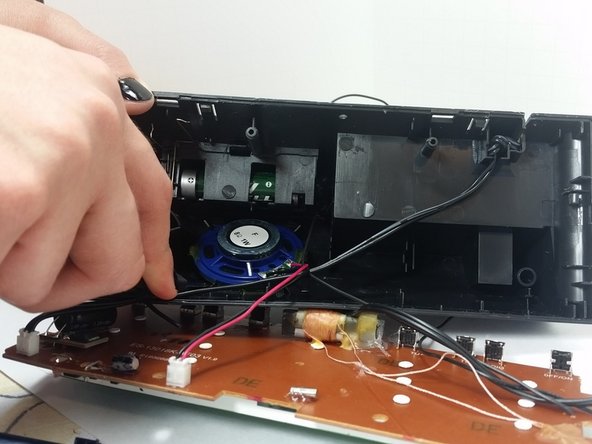
Gently pull to remove the motherboard.
 Ask FixBot
-
-
-
-
Scrape off the glue using an opening tool to detach the speaker from the black clock.
-




Cancel: I did not complete this guide.
One other person completed this guide.

Team

Marist, Team 1-1, Laflen Spring 2015 Member of Marist, Team 1-1, Laflen Spring 2015
MARS-LAFLEN-S15S1G1
2 Members
5 Guides authored
