Introduction
Simple guide to disassembling the keyboard down to the motherboard. In detail explains how to successfully replace the charging port.
What you need
-
-
-
Remove all ten screws using the T4 Torx screwdriver.
-
Remove the back cover from the device.
 Ask FixBot
-
-
-
Use the blue opening tool to further separate the keyboard bezel.
-
Carefully apply pressure to the keyboard. It should easily pop out.
-
-
-
-
To remove the keyboard bezel, unscrew and remove the five screws using the Phillips #0 screwdriver.
-
-
-
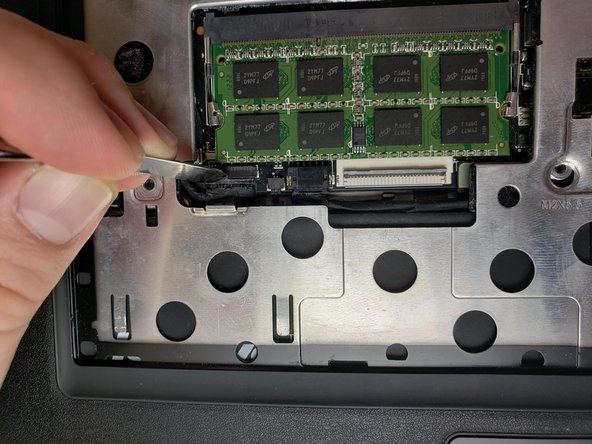
Unplug the connections from the motherboard.
-
There is a different connection for the mouse and keyboard.
-
-
-
Remove the outer bezel to reveal the entire internal layout of the computer.
-
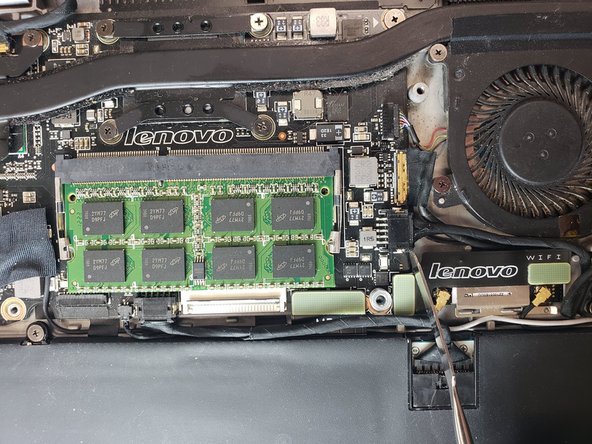
Motherboard and other internal components are now exposed.
-
-
-
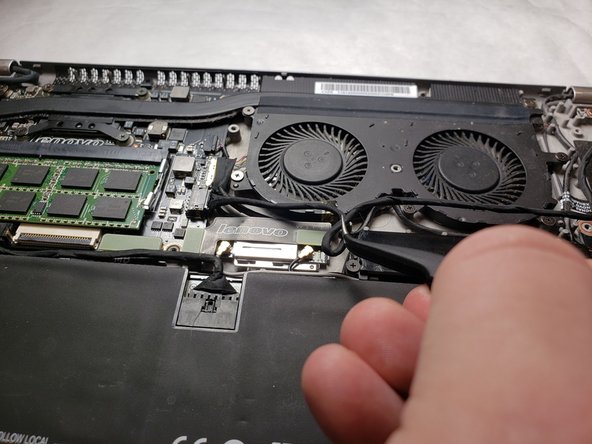
Remove charging port by prying out the yellow port from the computer chassis.
-
Note the route of the cable for re-installation of the replacement.
-
-







To reassemble your device, follow these instructions in reverse order.
Cancel: I did not complete this guide.
2 other people completed this guide.

Team

IUPUI, Team S1-G2, Harley Spring 2019 Member of IUPUI, Team S1-G2, Harley Spring 2019
IUPUI-HARLEY-S19S1G2
3 Members
24 Guides authored
