Introduction
Use this guide to replace the analog stick covers on the IFYOO ZD-V108 controller.
You would replace the analog stick covers for several reasons, e.g., stick drift, chipped analog cover, etc. If you need help with stick drift, please refer to the corresponding stick drift guide before proceeding with the rest of the guide.
Before proceeding, make sure this device isn’t plugged into any source and isn't near a water source.
This guide is only for the replacement of the plastic cover pieces. You could also go further in-depth with maintenance by cleaning the modules of the joysticks.
If attempting to clean said modules, do so with a dry towel or compressed air.
What you need
-
-
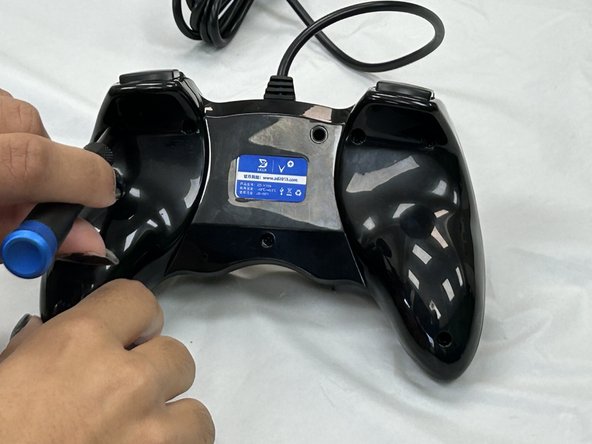
Remove the seven 9.2 mm screws from the back of the controller using a Phillips #00 screwdriver.
-
Remove the back cover.
 Ask FixBot
-
-
-
-
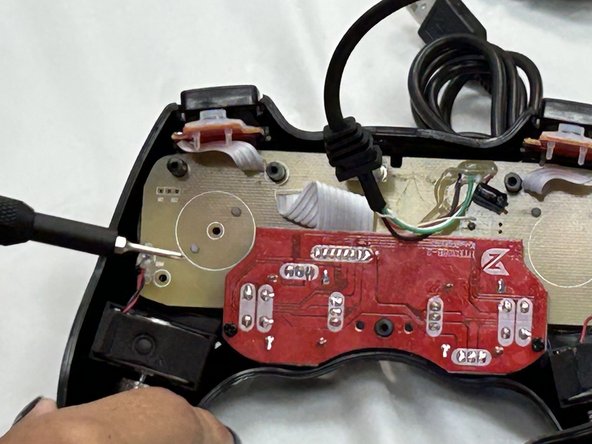
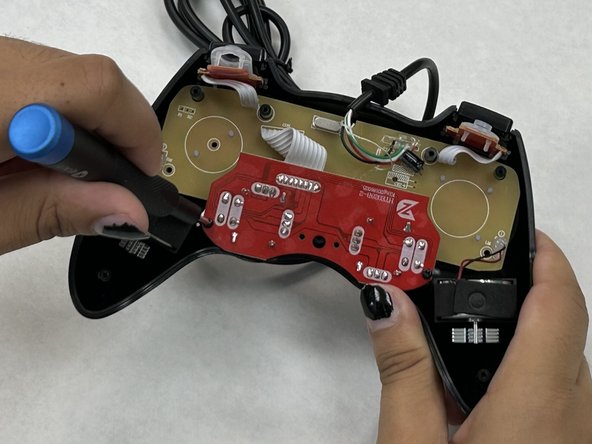
Remove the two 7.2 mm screws that connect the red daughterboard to the tan motherboard using a Phillips #00 screwdriver.
-
-
-
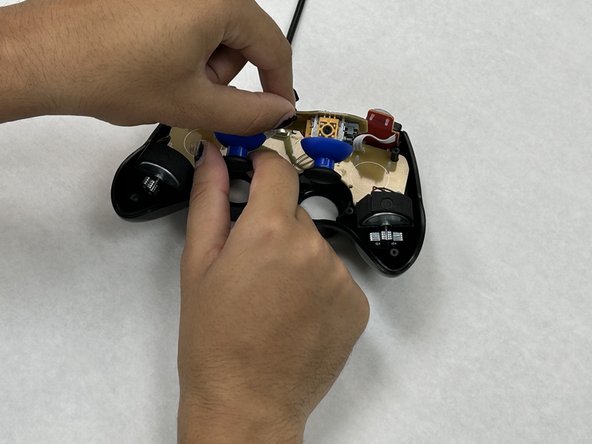
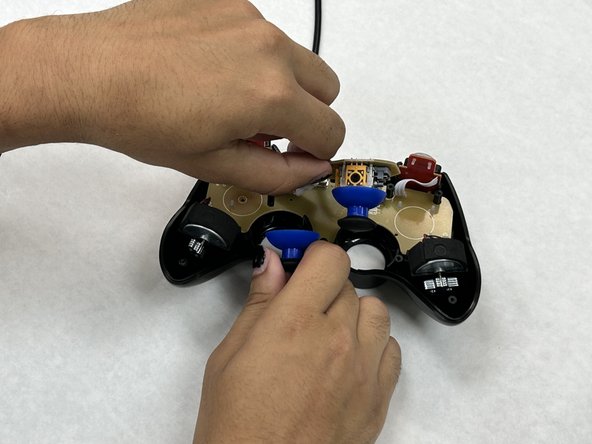
Gently flip up the daughterboard until the blue analog stick covers become visible.
-
Gently pull on the analog stick covers until they pop off.
-





To reassemble your device, follow these instructions in reverse order.
Cancel: I did not complete this guide.
One other person completed this guide.

Team

University of North Texas, Team 4-4, Harold Fall 2024 Member of University of North Texas, Team 4-4, Harold Fall 2024
UNT-HAROLD-F24S4G4
4 Members
5 Guides authored
