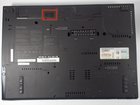
IBM Thinkpad T61 Battery Replacement

Kyle and 10 other contributors
Last updated on Nov 16, 2017
Views: 4.3K
View statistics:
- Past 24 Hours:
- 1
- Past 7 Days:
- 23
- Past 30 Days:
- 107
- All Time:
- 4,298
Comments: 1
1 guide comment.
Go to guide commentsCompleted: 5 6
5 people have marked this guide "completed." Will you be next?
6 people have marked this guide "completed." Including you — great job!
Favorites: 0 1
No one has favorited (and subscribed to) this guide. Will you be the first?
1 person has favorited (and subscribed to) this guide — and that's you!
Needs Better Images
Better photos will improve this guide. Help out by taking, editing, or uploading new ones!
Introduction
Go to step 1 ↓A laptop battery should last for about 2 to 4 years. Eventually your battery will need replacing. This process is very simple and can be achieved by following this guide.
-
-
-
Ensure the laptop has been properly shut down and unplugged.
-
Turn the computer over so that you can see the battery release tab located near the top of the Thinkpad.
 Ask FixBot
-
-
-
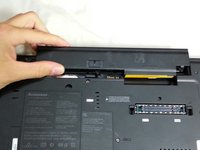
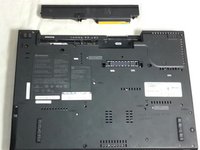
Hold the tab in the unlocked position and push the battery away from the computer to remove it.
-
-
-
-
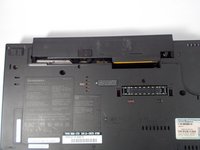
Slide the new battery in until it clicks.
-
Ensure that the release tab is in the locked position.
-
-



Cancel: I did not complete this guide.
5 other people completed this guide.

Team

Cal Poly, Team 8-58, Johann Spring 2013 Member of Cal Poly, Team 8-58, Johann Spring 2013
CPSU-JOHANN-S13S8G58
4 Members
60 Guides authored
