Free Shipping on Domestic Orders $75+

IBM ThinkPad T42 Mini-PCI Port Replacement

What you need

  1. IBM ThinkPad T42 Mini-PCI Port Replacement, Bottom cover: step 1, image 1 of 1
    • Use a Phillips #0 screwdriver to remove the twenty screws on the underside of the T42.

    Ask FixBot

    Add Comment

  2. IBM ThinkPad T42 Mini-PCI Port Replacement, Rear screws: step 2, image 1 of 1
    • Remove the four Phillips screws located on either side of the rear of the T42 (there are two on each end.)

    Ask FixBot

    Add Comment

  3. IBM ThinkPad T42 Mini-PCI Port Replacement, Keyboard and Trackpad: step 3, image 1 of 1
    • Flip the laptop over and open the screen to access the keyboard and trackpad.

    • The keyboard and trackpad are connected to the motherboard. Before removing the keyboard and trackpad, disconnect both components from the motherboard, as shown in the following step.

    • The bezel and keyboard will be loose, be careful.

    Ask FixBot

    Add Comment

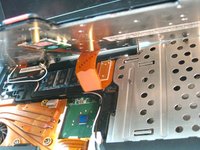
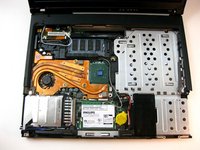
  4. IBM ThinkPad T42 Mini-PCI Port Replacement: step 4, image 1 of 2 IBM ThinkPad T42 Mini-PCI Port Replacement: step 4, image 2 of 2
    • Carefully maneuver the palm rest away from the keyboard, as both the keyboard and palm rest/trackpad will come off together.

    • Remember, both the keyboard and trackpad have connectors to the motherboard. Disconnect these before completely removing either component.

    Ask FixBot

    Add Comment

  5. IBM ThinkPad T42 Mini-PCI Port Replacement, Port Bracket: step 5, image 1 of 1
    • Remove the screw affixing the bracket down.

    Ask FixBot

    Add Comment

  6. IBM ThinkPad T42 Mini-PCI Port Replacement, Bracket Removal: step 6, image 1 of 1
    • Lift the bracket up and out.

    Ask FixBot

    Add Comment

  7. IBM ThinkPad T42 Mini-PCI Port Replacement, Port Removal: step 7, image 1 of 1
    • Carefully disconnect it from the motherboard and pull it out of the device.

    Ask FixBot

    Add Comment

Conclusion

To reassemble your device, follow these instructions in reverse order.

Cancel: I did not complete this guide.

One other person completed this guide.

Gerald Watanabe

Member since: 04/14/10

288 Reputation

7 Guides authored

Team

Cal Poly, Team 29-76, Johann Spring 2010 Member of Cal Poly, Team 29-76, Johann Spring 2010

CPSU-JOHANN-S10S29G76

4 Members

37 Guides authored

0 Guide Comments

Add Comment

View Statistics:

Past 24 Hours: 1

Past 7 Days: 3

Past 30 Days: 38

All Time: 4,955