
IBM ThinkPad T42 Display Replacement

Austin Kidd and 5 other contributors
Last updated on Feb 22, 2018
Views: 14K
View statistics:
- Past 24 Hours:
- 2
- Past 7 Days:
- 18
- Past 30 Days:
- 121
- All Time:
- 14,227
Comments: 5
3 comments on steps, 2 guide comments.
Go to guide commentsCompleted: 6 7
6 people have marked this guide "completed." Will you be next?
7 people have marked this guide "completed." Including you — great job!
Favorites: 3 4
3 people have favorited (and subscribed to) this guide. Will you be next?
4 people have favorited (and subscribed to) this guide — including you!
Needs Better Images
Better photos will improve this guide. Help out by taking, editing, or uploading new ones!
Missing Steps
Oops! This guide is currently missing one or more important steps.
Action Shots
Be an action hero! This guide needs images that better demonstrate how to perform specific actions.
Introduction
Go to step 1 ↓Removal/repair of the display
What you need
Tools

-
-
-
Use a Phillips #0 screwdriver to remove the twenty screws on the underside of the T42.
 Ask FixBot
-
-
-
Remove the four Phillips screws located on either side of the rear of the T42 (there are two on each end.)
-
-
-
-
-
Flip the laptop over and open the screen to access the keyboard and trackpad.
-
-
-
Carefully maneuver the palm rest away from the keyboard, as both the keyboard and palm rest/trackpad will come off together.
-
-
-
-
-
Remove the plastic bezel along the edges, you may need to pry the areas circled with a spudger to remove the bezel.
-
-
-
-
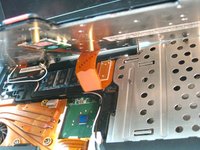
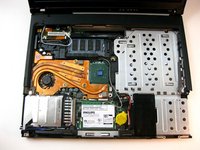
Carefully unplug the display ribbon on the motherboard, then carefully lift the display free from the device.
-
-




To reassemble your device, follow these instructions in reverse order.
Cancel: I did not complete this guide.
6 other people completed this guide.

Team

Cal Poly, Team 29-76, Johann Spring 2010 Member of Cal Poly, Team 29-76, Johann Spring 2010
CPSU-JOHANN-S10S29G76
4 Members
180 Guides authored
2 Guide Comments
Very poor & sketchy guide! NO mention at all of how to handle the other wires involved in disconnecting the screen (lid) from the laptop base, eg: the wireless antenna connections and instructions like: "Unscrew the screws holding it down" are far too vague! holding WHAT down ffs!!!!
