
IBM ThinkPad A30 RAM Replacement

Jessica and 8 other contributors
Last updated on Jun 17, 2014
Views: 3.8K
View statistics:
- Past 24 Hours:
- 3
- Past 7 Days:
- 17
- Past 30 Days:
- 87
- All Time:
- 3,757
Comments: 0
No one has left comments on this guide. Will you be first?
Go to guide commentsCompleted: 1 2
1 person has marked this guide "completed." Will you be next?
2 people have marked this guide "completed." Including you — great job!
Favorites: 1 2
1 person has favorited (and subscribed to) this guide. Will you be next?
2 people have favorited (and subscribed to) this guide — including you!
Featured Guide
This guide has been found to be exceptionally cool by the iFixit staff.
Better Introduction
Improve this guide by completing or revising its introduction.
What you need
Parts
Tools

-
-
-
Slide the highlighted tab to the left.
-
With your finger on the tab, remove the battery by lifting it upwards away from the laptop.
 Ask FixBot
-
-
-
-
-
Remove the two 5.3mm cover screws.
-
Gently lift the cover containing the RAM.
-
-
-


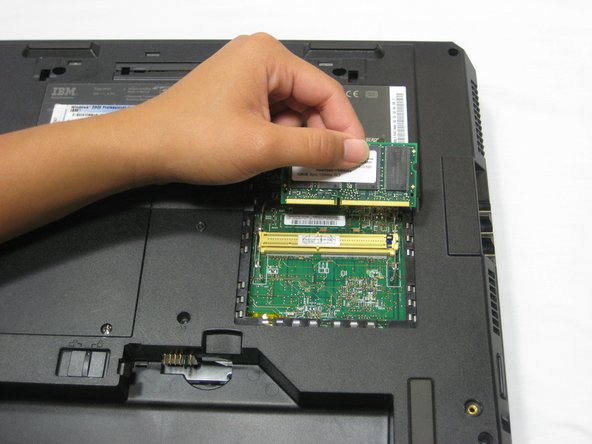
To reassemble your device, follow these instructions in reverse order.
Cancel: I did not complete this guide.
One other person completed this guide.

Team

Cal Poly, Team 4-44, Amido Fall 2010 Member of Cal Poly, Team 4-44, Amido Fall 2010
CPSU-AMIDO-F10S4G44
4 Members
156 Guides authored
