Free Shipping on Domestic Orders $75+

Hytera TC-580 Speaker Replacement

What you need

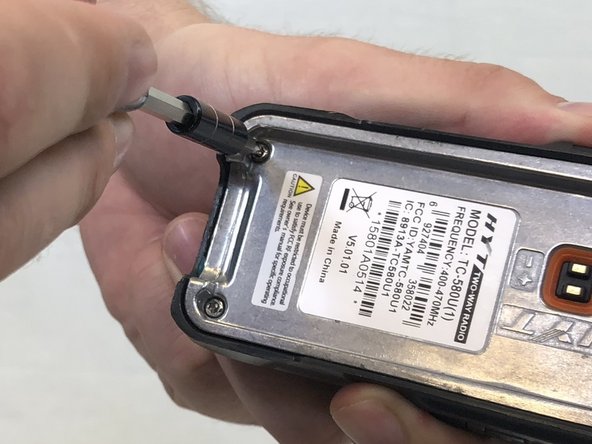
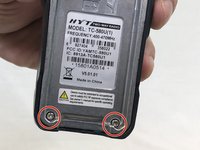
  1. Hytera TC-580 Speaker Replacement, Battery: step 1, image 1 of 2 Hytera TC-580 Speaker Replacement, Battery: step 1, image 2 of 2
    • Remove the two 10mm Phillips #0 from the belt clip.

    Ask FixBot

    Add Comment

  2. Hytera TC-580 Speaker Replacement: step 2, image 1 of 2 Hytera TC-580 Speaker Replacement: step 2, image 2 of 2
    • Push in the release button and pull up on the battery to remove.

    Ask FixBot

    Add Comment

  3. Hytera TC-580 Speaker Replacement, Antenna: step 3, image 1 of 1
    • Twist antenna counter-clockwise and set damaged antenna aside.

    Ask FixBot

    Add Comment

  4. Hytera TC-580 Speaker Replacement, Keypad: step 4, image 1 of 1
    • Remove the volume knob by firmly lifting up on both sides of it.

    Ask FixBot

    Add Comment

  5. Hytera TC-580 Speaker Replacement: step 5, image 1 of 1
    Tool used on this step:
    Tweezers
    $4.99
    Buy
    • Remove the orange o-ring around volume knob using tweezers.

    Ask FixBot

    Add Comment

  6. Hytera TC-580 Speaker Replacement: step 6, image 1 of 1
    • Remove grey nut from base of volume knob by turning it counterclockwise with a set of tweezers.

    Ask FixBot

    Add Comment

  7. Hytera TC-580 Speaker Replacement: step 7, image 1 of 1
    • Remove the brass washer from the base of the antenna slot by turning it counterclockwise with a set of tweezers.

    Ask FixBot

    Add Comment

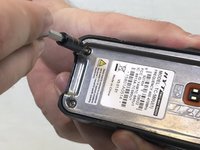
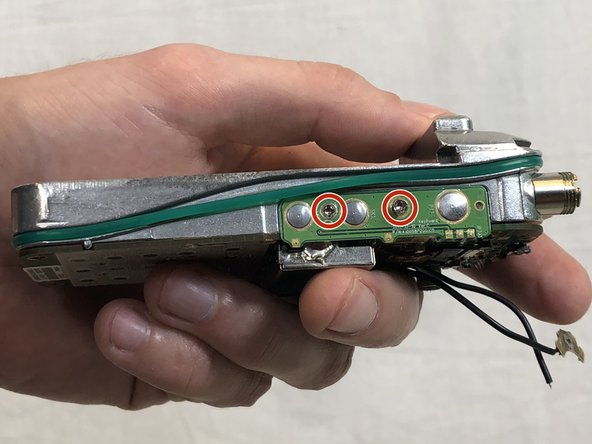
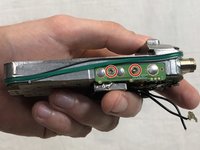
  8. Hytera TC-580 Speaker Replacement: step 8, image 1 of 2 Hytera TC-580 Speaker Replacement: step 8, image 2 of 2
    • Remove the two 15mm T8 Torx screws from the base of the battery cavity.

    Ask FixBot

    Add Comment

  9. Hytera TC-580 Speaker Replacement: step 9, image 1 of 1
    • Using a plastic opening tool, pry in between the plastic case and metal circuit board to remove the board.

    Ask FixBot

    Add Comment

  10. Hytera TC-580 Speaker Replacement: step 10, image 1 of 1
    • Peel off the keypad by hand.

    Ask FixBot

    Add Comment

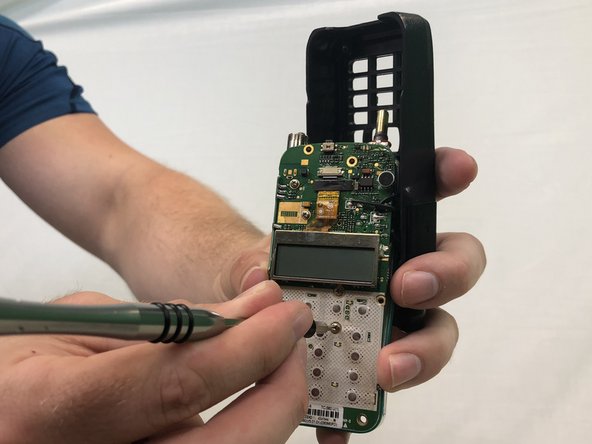
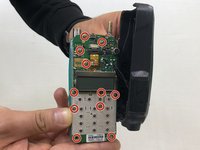
  11. Hytera TC-580 Speaker Replacement, Speaker: step 11, image 1 of 3 Hytera TC-580 Speaker Replacement, Speaker: step 11, image 2 of 3 Hytera TC-580 Speaker Replacement, Speaker: step 11, image 3 of 3
    • Remove eleven 4mm Phillips #00 screws.

    Ask FixBot

    Add Comment

  12. Hytera TC-580 Speaker Replacement: step 12, image 1 of 1
    • Apply a soldering iron to the solder joints to remove the two wires connecting the speaker to the circuit board.

    Ask FixBot

    Add Comment

Conclusion

To reassemble your device, follow these instructions in reverse order.

Cancel: I did not complete this guide.

Mohammed Chehab

Member since: 02/14/18

91 Reputation

1 Guide authored

Team

USF Tampa, Team S3-G4, Nance Spring 2018 Member of USF Tampa, Team S3-G4, Nance Spring 2018

USFT-NANCE-S18S3G4

3 Members

5 Guides authored

0 Guide Comments

Add Comment

View Statistics:

Past 24 Hours: 1

Past 7 Days: 8

Past 30 Days: 30

All Time: 957