
HyperX QuadCast S Gain Control Knob Replacement

Nathan Arruda and 2 other contributors
Last updated on Dec 19, 2022
Views: 3K
View statistics:
- Past 24 Hours:
- 6
- Past 7 Days:
- 31
- Past 30 Days:
- 127
- All Time:
- 3,017
Comments: 0
No one has left comments on this guide. Will you be first?
Go to guide commentsCompleted: 1 2
1 person has marked this guide "completed." Will you be next?
2 people have marked this guide "completed." Including you — great job!
Favorites: 0 1
No one has favorited (and subscribed to) this guide. Will you be the first?
1 person has favorited (and subscribed to) this guide — and that's you!
Introduction
Go to step 1 ↓If your microphone has any distortion in tone, such as the audio being too quiet, or too loud, then there may be a problem with the gain control knob. This guide will demonstrate how to simply remove the gain control knob, which can allow access to the I/O board of the microphone. Keep in mind that this guide highlights removing the gain control knob, and not how to remove the I/O board.
-
-
-
Set the microphone on a flat surface.
-
Pull each of the support bands upwards and off of the notches to release the microphone from its base.
 Ask FixBot
-
-
-
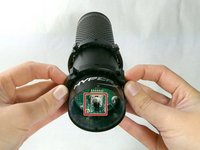
Orientate the microphone with the gain control knob upwards.
-
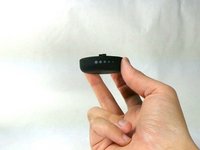
Pull outwards from the microphone to release the gain control knob.
-
-
-


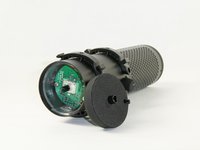
To reassemble your device, follow these instructions in reverse order.
Cancel: I did not complete this guide.
One other person completed this guide.

Team

UMass Dartmouth, Team 4-1, Sinclaire Fall 2022 Member of UMass Dartmouth, Team 4-1, Sinclaire Fall 2022
UMASSD-SINCLAIRE-F22S4G1
5 Members
72 Guides authored
