Introduction
The HyperX Cloud III (model 727A9AA) headset is not comfortable to wear anymore? The ear cushions might be the problem.
Follow this guide to replace one or both ear cushions in a HyperX Cloud III headset. ⏎⏎
The ear cushions are essential to be able to wear the headset.
-
-
-
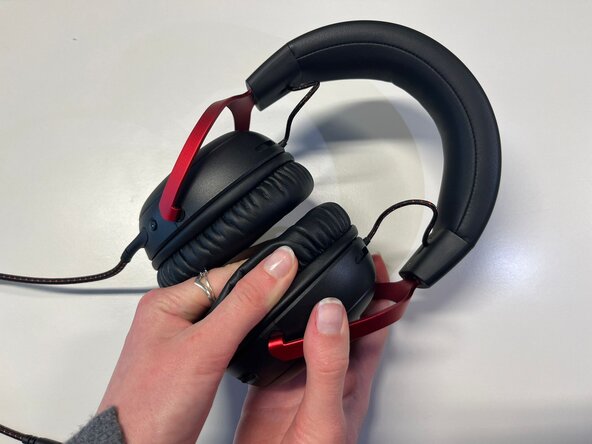
Pinch the side of one ear cushion with your thumb.
-
Slide it with your thumb to remove it completely from the outline.
-
Do the same on the other side of the headset if you want to replace both ear cushions.
 Ask FixBot
-
-
-


To reassemble your device, follow these instructions in reverse order.
Repair didn’t go as planned? Try some basic troubleshooting or ask our Answers community for help.

Team

Université Paris Cité, Team 4-4, Duvezin Winter 2026 Member of Université Paris Cité, Team 4-4, Duvezin Winter 2026
UPARIS-DUVEZIN-W26S4G4
3 Members
60 Guides authored
