Free Shipping on Domestic Orders $75+

Huawei ascend G700 Touchscreen Display Replacement

    1. Huawei ascend G700 Touchscreen Display Replacement, Touchscreen Display: step 1, image 1 of 2 Huawei ascend G700 Touchscreen Display Replacement, Touchscreen Display: step 1, image 2 of 2
      • Remove the back cover and battery

      Ask FixBot

      Add Comment

    2. Huawei ascend G700 Touchscreen Display Replacement: step 2, image 1 of 1
      • Remove the indicated screws

      Ask FixBot

      Add Comment

    3. Huawei ascend G700 Touchscreen Display Replacement: step 3, image 1 of 3 Huawei ascend G700 Touchscreen Display Replacement: step 3, image 2 of 3 Huawei ascend G700 Touchscreen Display Replacement: step 3, image 3 of 3
      • unhook Central frame using a thin tool behind joints along the entire perimeter of the phone

      Ask FixBot

      Add Comment

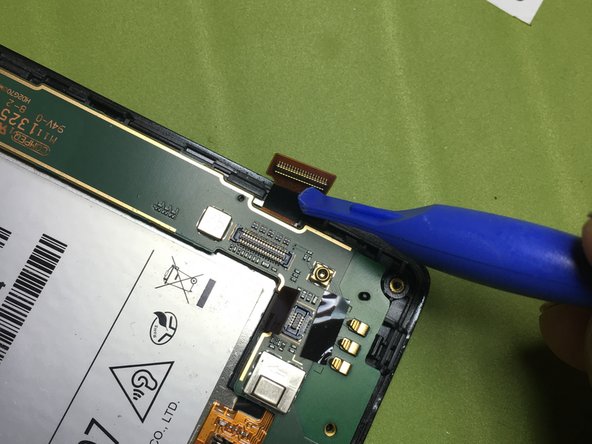
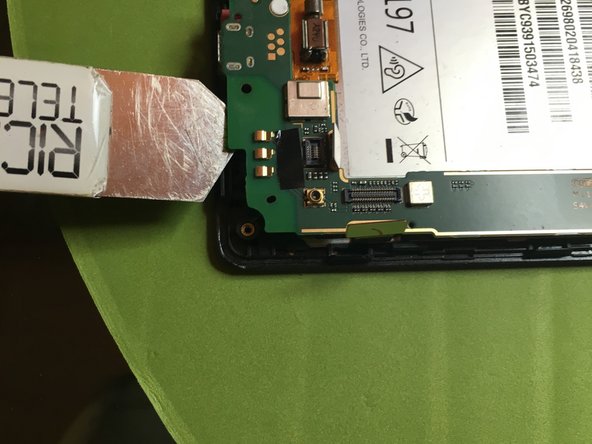
    4. Huawei ascend G700 Touchscreen Display Replacement: step 4, image 1 of 3 Huawei ascend G700 Touchscreen Display Replacement: step 4, image 2 of 3 Huawei ascend G700 Touchscreen Display Replacement: step 4, image 3 of 3
      • Unplug the touchscreen connector.

      • Unplug the motherboard connector.

      • Unplug the side volume key connector.

      Ask FixBot

      Add Comment

    5. Huawei ascend G700 Touchscreen Display Replacement: step 5, image 1 of 2 Huawei ascend G700 Touchscreen Display Replacement: step 5, image 2 of 2
      • Unplug the display connector.

      • Unplug the camera connector.

      Ask FixBot

      Add Comment

    6. Huawei ascend G700 Touchscreen Display Replacement: step 6, image 1 of 3 Huawei ascend G700 Touchscreen Display Replacement: step 6, image 2 of 3 Huawei ascend G700 Touchscreen Display Replacement: step 6, image 3 of 3
      • Unplug the motherboard.

      Ask FixBot

      Add Comment

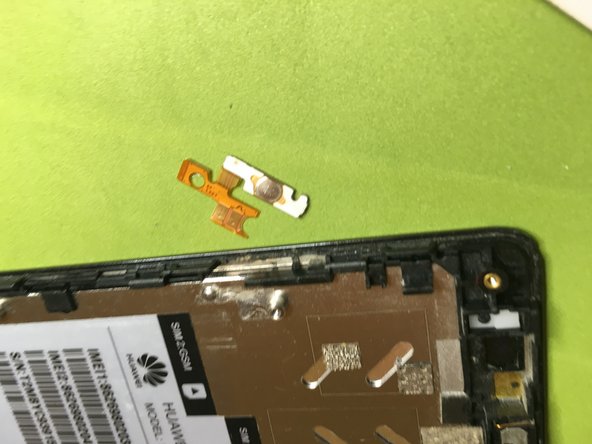
    7. Huawei ascend G700 Touchscreen Display Replacement: step 7, image 1 of 3 Huawei ascend G700 Touchscreen Display Replacement: step 7, image 2 of 3 Huawei ascend G700 Touchscreen Display Replacement: step 7, image 3 of 3
      • Remove the camera with a heat source because it's glued to the bottom.

      • Remove the motherboard from the main body of the phone.

      • Remove the power button using a heat source.

      • Remove the volume key using a heat source.

      Ask FixBot

      Add Comment

    8. Huawei ascend G700 Touchscreen Display Replacement: step 8, image 1 of 3 Huawei ascend G700 Touchscreen Display Replacement: step 8, image 2 of 3 Huawei ascend G700 Touchscreen Display Replacement: step 8, image 3 of 3
      • Remove the speaker cover.

      • Using a heat source, delicately remove the daughterboard.

      Ask FixBot

      Add Comment

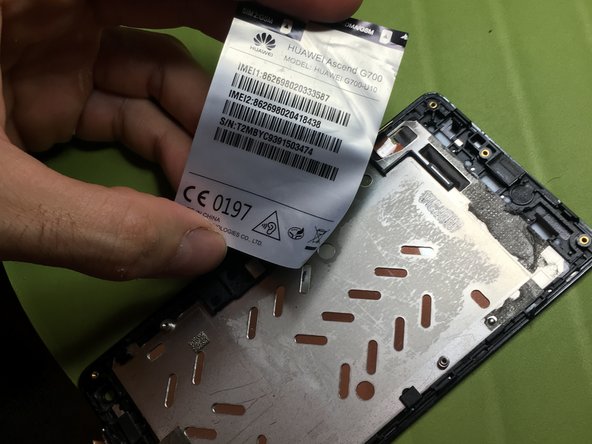
    9. Huawei ascend G700 Touchscreen Display Replacement: step 9, image 1 of 3 Huawei ascend G700 Touchscreen Display Replacement: step 9, image 2 of 3 Huawei ascend G700 Touchscreen Display Replacement: step 9, image 3 of 3
      • Remove the speaker using a heat source.

      • Remove the technical adhesive strips using a heat source.

      Ask FixBot
      Add Comment

Conclusion

To reassemble the device, follow this instructions in reverse order.

Cancel: I did not complete this guide.

5 other people completed this guide.

Special thanks to these translators:

it en

100%

These translators are helping us fix the world! Want to contribute?
Start translating ›

Smilzo

Member since: 11/09/13

12,359 Reputation

39 Guides authored

0 Guide Comments

Add Comment

View Statistics:

Past 24 Hours: 1

Past 7 Days: 10

Past 30 Days: 35

All Time: 2,365