15% Off Selected iFixit Tools — Limited Time
Free Shipping on Domestic Orders $75+

Huawei Y7 2019 Screen Replacement

  1. Huawei Y7 2019 Screen Replacement, Display replacement without frame: step 1, image 1 of 1
    • The new spare part that we will be installing on the phone.

    Ask FixBot

    Add Comment

  2. Huawei Y7 2019 Screen Replacement, Remove the Cover: step 2, image 1 of 3 Huawei Y7 2019 Screen Replacement, Remove the Cover: step 2, image 2 of 3 Huawei Y7 2019 Screen Replacement, Remove the Cover: step 2, image 3 of 3
    • Remove the SIM Tray.

    • Use a plastic tool such as a spudger or opening pick to remove the back cover.

    Ask FixBot
    Add Comment

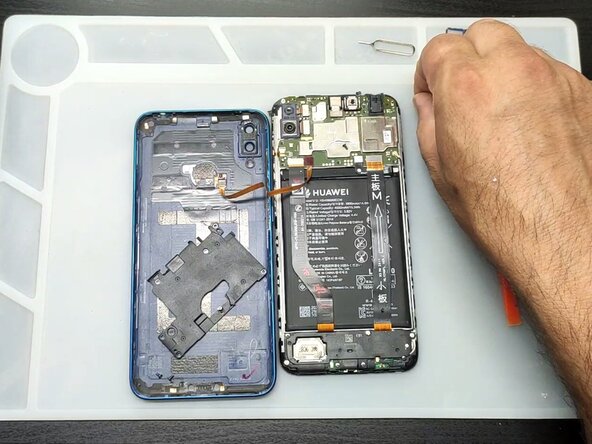
  3. Huawei Y7 2019 Screen Replacement: step 3, image 1 of 3 Huawei Y7 2019 Screen Replacement: step 3, image 2 of 3 Huawei Y7 2019 Screen Replacement: step 3, image 3 of 3
    • Remove the two silver Philips screws that are above the top right corner of the battery and below the camera.

    • Remove the motherboard plastic cover.

    • Disconnect the battery and the fingerprint flex cable using a plastic pry tool.

    Ask FixBot

    Add Comment

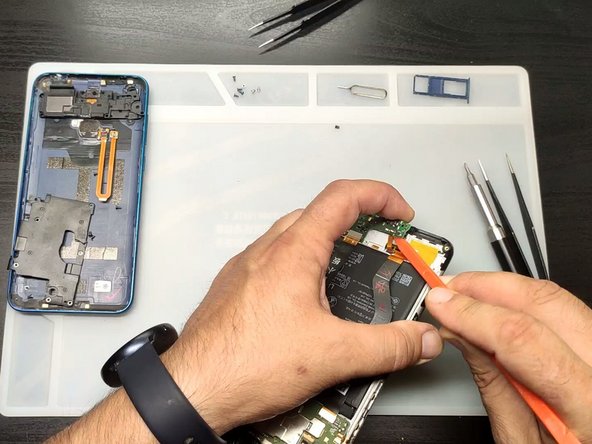
  4. Huawei Y7 2019 Screen Replacement: step 4, image 1 of 2 Huawei Y7 2019 Screen Replacement: step 4, image 2 of 2
    • Disconnect the screen flex cable and connect the new screen for testing.

    • If the spare part is fully functioning, then continue with the installation.

    Ask FixBot

    Add Comment

  5. Huawei Y7 2019 Screen Replacement, Charging board cover removal: step 5, image 1 of 3 Huawei Y7 2019 Screen Replacement, Charging board cover removal: step 5, image 2 of 3 Huawei Y7 2019 Screen Replacement, Charging board cover removal: step 5, image 3 of 3
    • Remove the silver Philips screws and the charging dock cover.

    • Lift the board slightly to release the screen flex cable.

    • Please be careful when removing the connectors; they are easy to break, so be gentle!

    Ask FixBot

    Add Comment

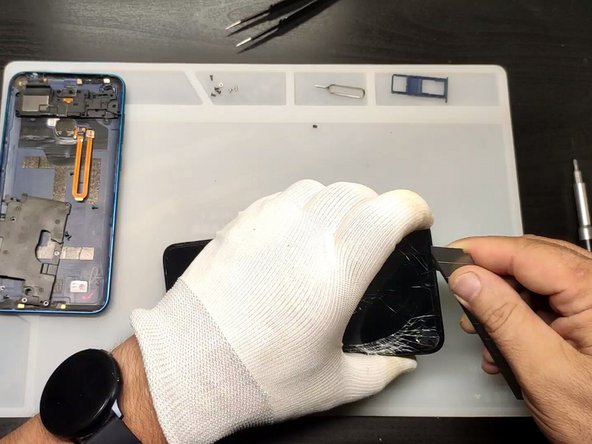
  6. Huawei Y7 2019 Screen Replacement: step 6, image 1 of 3 Huawei Y7 2019 Screen Replacement: step 6, image 2 of 3 Huawei Y7 2019 Screen Replacement: step 6, image 3 of 3
    • Warm up the glass to soften the adhesive.

    • Use plastic tools to remove the glass, then clean the adhesive off the frame.

    • Be careful when working with broken glass. Use gloves and safety glasses to protect yourself, and try to keep the glass contained.

    Ask FixBot

    Add Comment

  7. Huawei Y7 2019 Screen Replacement, Apply new adhesive: step 7, image 1 of 3 Huawei Y7 2019 Screen Replacement, Apply new adhesive: step 7, image 2 of 3 Huawei Y7 2019 Screen Replacement, Apply new adhesive: step 7, image 3 of 3
    Tool used on this step:
    Tesa 61395 Tape
    $8.95
    Buy
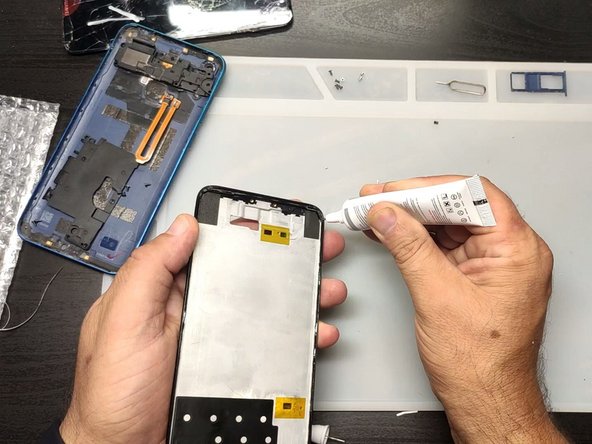
    • Apply 1 mm‑wide strips of thin, double‑sided tape to the long edges of the frame.

    • Apply a little glue (B-7000, E-8000, T-8000, or similar) to the corners of the frame.

    Ask FixBot

    Add Comment

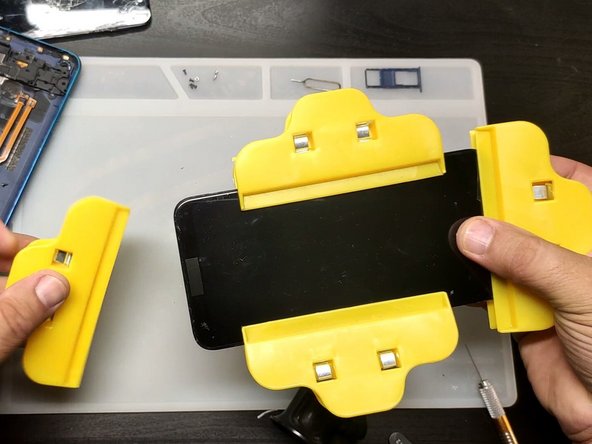
  8. Huawei Y7 2019 Screen Replacement: step 8, image 1 of 2 Huawei Y7 2019 Screen Replacement: step 8, image 2 of 2
    • Install the new screen.

    • Use clamps until the glue dries.

    Ask FixBot

    Add Comment

Conclusion

To reassemble your device, follow these instructions in reverse order.

Cancel: I did not complete this guide.

24 other people completed this guide.

ZFix

Member since: 12/09/13

197,225 Reputation

330 Guides authored

Team

Master Techs Member of Master Techs

Community

333 Members

1,495 Guides authored

1 Guide Comment

C'est très bon comme site

aristide kévin kouamé - Reply Share

Add Comment

View Statistics:

Past 24 Hours: 7

Past 7 Days: 32

Past 30 Days: 199

All Time: 10,175