
Huawei Watch Jewel Strap Replacement

Alejandro Hernandez and 3 other contributors
Last updated on Oct 12, 2017
Views: 1.3K
View statistics:
- Past 24 Hours:
- 2
- Past 7 Days:
- 15
- Past 30 Days:
- 94
- All Time:
- 1,321
Comments: 0
No one has left comments on this guide. Will you be first?
Go to guide commentsCompleted: 1 2
1 person has marked this guide "completed." Will you be next?
2 people have marked this guide "completed." Including you — great job!
Favorites: 0 1
No one has favorited (and subscribed to) this guide. Will you be the first?
1 person has favorited (and subscribed to) this guide — and that's you!
Introduction
Go to step 1 ↓This guide will demonstrate how to replace your watch's straps. Some of the tools used in this guide are relatively sharp, so make sure to use them with care.
What you need
Parts
Tools

-
-
-
Begin by laying the watch on a flat, smooth surface.
-
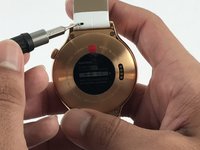
Obtain a Flex Extension with a Size 1.0 mm flat-head. In the case of not having said tool, for this model of watch one can use the hands to replace the strap.
 Ask FixBot
-
-
-
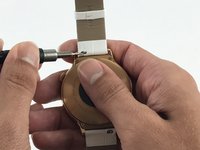
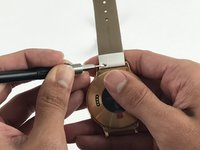
Use the Flex Extension to push the spring to the right. This will release the strap from the watch head.
-
-
-


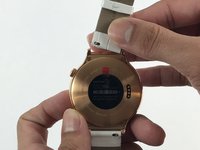


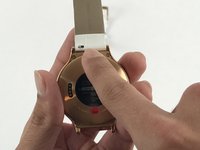
To reassemble your device, follow these instructions in reverse order.
Cancel: I did not complete this guide.
One other person completed this guide.

Team

USF Tampa, Team 5-3, Passmore Spring 2017 Member of USF Tampa, Team 5-3, Passmore Spring 2017
USFT-PASSMORE-S17S5G3
4 Members
36 Guides authored
