Free Shipping on Domestic Orders $75+

Huawei SnapTo G-620 Motherboard Replacement

What you need

    1. Huawei SnapTo G-620 Motherboard Replacement, Battery: step 1, image 1 of 3 Huawei SnapTo G-620 Motherboard Replacement, Battery: step 1, image 2 of 3 Huawei SnapTo G-620 Motherboard Replacement, Battery: step 1, image 3 of 3
      • Pry open the back cover with your fingernail, using the divot to the lower left hand corner.

      • Remove all fifteen 4mm Phillips J00 screws on the back panel.

      • Using a metal spudger or your fingernail, remove the back panel.

      Ask FixBot

      Add Comment

    2. Huawei SnapTo G-620 Motherboard Replacement: step 2, image 1 of 1
      • Remove the pictured 4mm Phillips J00 screw.

      Ask FixBot

      Add Comment

    3. Huawei SnapTo G-620 Motherboard Replacement: step 3, image 1 of 2 Huawei SnapTo G-620 Motherboard Replacement: step 3, image 2 of 2
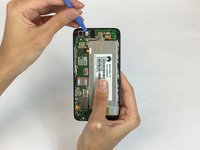
      • Use a plastic opening tool to remove the pictured flat-top connector.

      Ask FixBot

      Add Comment

    4. Huawei SnapTo G-620 Motherboard Replacement: step 4, image 1 of 1
      • Remove the battery.

      Ask FixBot

      Add Comment

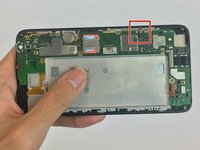
    1. Huawei SnapTo G-620 Motherboard Replacement, Motherboard: step 5, image 1 of 2 Huawei SnapTo G-620 Motherboard Replacement, Motherboard: step 5, image 2 of 2
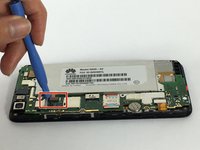
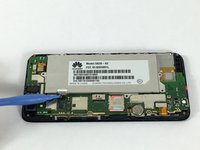
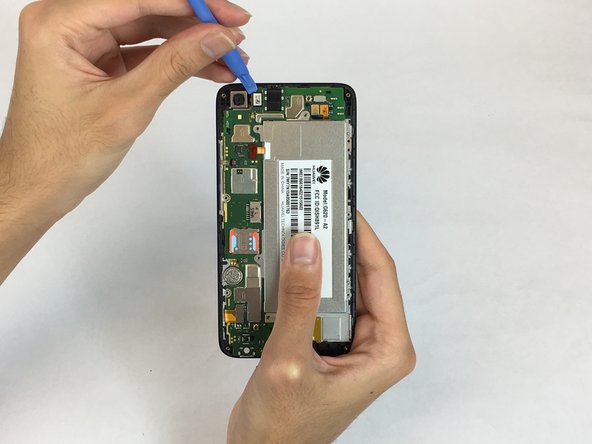
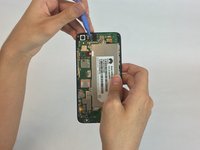
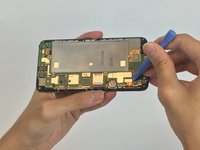
      • Use a plastic opening tool to remove the pictured flat-top connector.

      • Using the plastic opening tool remove the camera.

      Ask FixBot

      Add Comment

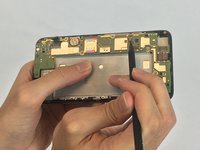
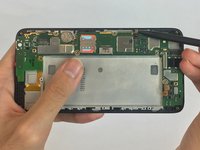
    2. Huawei SnapTo G-620 Motherboard Replacement: step 6, image 1 of 3 Huawei SnapTo G-620 Motherboard Replacement: step 6, image 2 of 3 Huawei SnapTo G-620 Motherboard Replacement: step 6, image 3 of 3
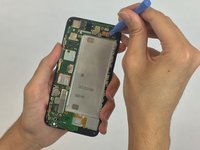
      • Use the plastic opening tools to remove all the remaining flat-top connectors

      Ask FixBot

      Add Comment

    3. Huawei SnapTo G-620 Motherboard Replacement: step 7, image 1 of 3 Huawei SnapTo G-620 Motherboard Replacement: step 7, image 2 of 3 Huawei SnapTo G-620 Motherboard Replacement: step 7, image 3 of 3
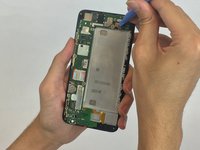
      • Using the spudger, pry open the zif connector, and remove the cable.

      Ask FixBot

      Add Comment

    4. Huawei SnapTo G-620 Motherboard Replacement: step 8, image 1 of 1
      • Using flat-side of spudger, remove the motherboard.

      Ask FixBot

      Add Comment

Conclusion

To reassemble your device, follow these instructions in reverse order.

Cancel: I did not complete this guide.

Brian Omer Uzan

Member since: 09/28/17

401 Reputation

4 Guides authored

Team

USF Tampa, Team S2-G6, Nance Fall 2017 Member of USF Tampa, Team S2-G6, Nance Fall 2017

USFT-NANCE-F17S2G6

4 Members

60 Guides authored

0 Guide Comments

Add Comment

View Statistics:

Past 24 Hours: 0

Past 7 Days: 3

Past 30 Days: 32

All Time: 573