What you need
-
-
-
Open the cover and press the SIM card and Micro SD card in to release them both.
-
Remove the screw under the hinge cover.
 Ask FixBot
-
-
-
Use a prying tool to loosen the back cover from the display.
-
There are plastic clips holding the display and back cover together, but they come apart quite easily.
-
-
-
-
Carefully separate the display unit from the back cover, but not too far.
-
There is a cable connecting the two together.
-
Lift the ZIF Connector and remove the Display Cable.
-
Lay the display to one side.
-
-
-
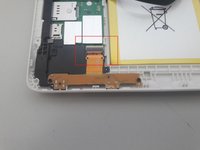
Flip the ZIF connector to loosen the flex cable for the USB charger port.
-
It is possible the cable is glued down, sliding a flat tip underneath should be enough to loosen it for removal.
-
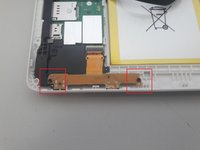
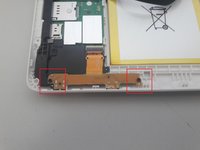
Remove the two screws holding the charger port in place.
-
-
-
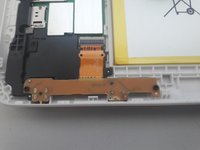
Install the new charger port, Insert the cable in the ZIF connector and test to make sure it charges. Replace the screws for the USB Board
-
Insert the display into the back cover.
-
Replace the screw by the SIM card / Micro SD card slot.
-
Completed!
-
-




To reassemble your device, follow these instructions in reverse order.
Cancel: I did not complete this guide.
2 other people completed this guide.

3 Guide Comments
Is this charger available
Charger port for Huawei s10
My s10 is not charging,if i plug it will show as if it was going to charge but it won't so what do i do in this situation
