Introduction
The motherboard is the main part of your phone, allowing all components to work together. You may need to replace it if you're facing issues like unexpected shutdowns or connectivity problems. The tools you will need to proceed are the iFixit Opening Tool, and the Pillips #000 Screwdriver. This guide will show you how to safely open your phone and access the motherboard for replacement. Let's get started, and proceed with percussion!
What you need
-
-
-
Use the opening tool from the iFixit kit to get under the back cover and, gently separate the back from the front.
 Ask FixBot
-
-
-
-
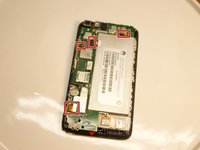
Remove the 15 screws on the back of the phone with a Phillips #000 screwdriver. The screws with the red circle around them are the screws you need to remove in order to proceed.
-
-
-
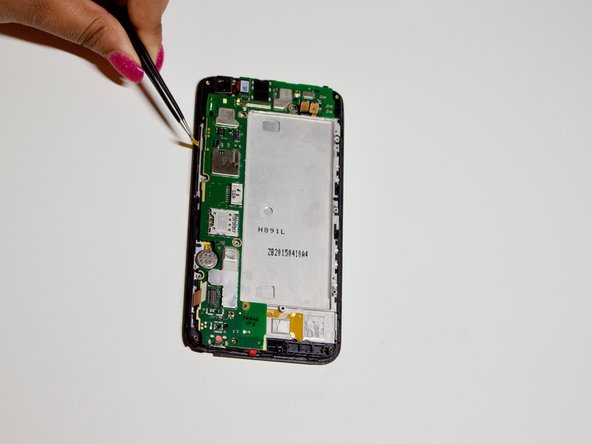
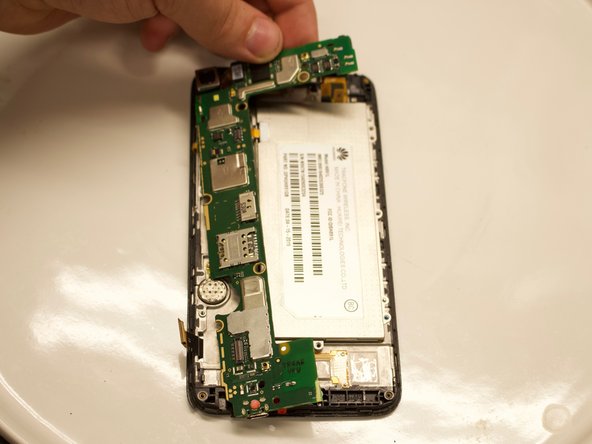
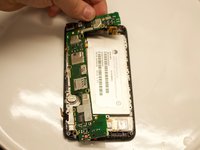
Disconnect the connectors from the motherboard and gently remove the motherboard. The motherboard is the green part as shown in the pictures.
-
-


To reassemble your device, follow these instructions in reverse order.

Team

University of North Texas, Team S1-G7, Riccardelli Fall 2018 Member of University of North Texas, Team S1-G7, Riccardelli Fall 2018
UNT-RICCARDELLI-F18S1G7
3 Members
36 Guides authored
