Introduction
Use this guide to replace the rear camera in your Huawei P9 Lite.
What you need
-
-
-
Use an opening pick to unclip the rear cover, starting from the bottom corner.
-
Work your way around counterclockwise and carefully pry the plastic tabs open one by one.
 Ask FixBot
-
-
-
Twist the opening pick to lever the back cover away and loosen it from the adhesive.
-
-
-
-
When the back cover is freed from the adhesive you can pop it off by hand completely.
-
-
-
-
-
Remove the nine Phillips #00 screws that secure the metal shield plate.
-
-
-
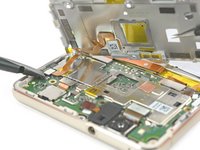
Use a spudger to disconnect the fingerprint sensor from the motherboard.
-
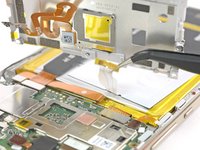
Peel the NFC antenna cable off of the metal plate.
-
-
-
-
-
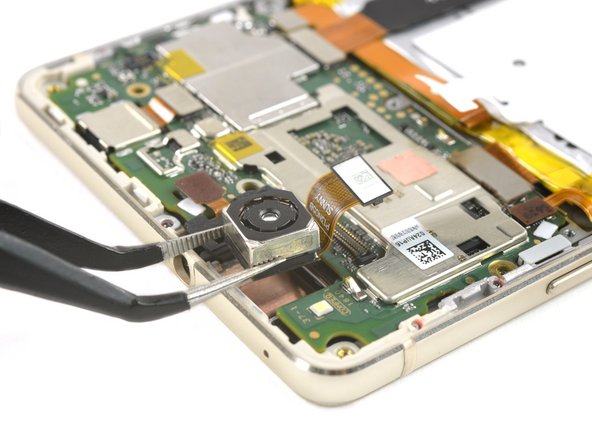
Release the rear camera connector.
-
Take the camera out of its recess.
-
-





To reassemble your device, follow these instructions in reverse order.
Cancel: I did not complete this guide.
6 other people completed this guide.

Team

Tobias Isakeit - Repairability Engineer Member of Tobias Isakeit - Repairability Engineer
Business
1 Member
2,268 Guides authored
2 Guide Comments
So, i ordered some replacement parts for my huawei p9 lite(Main camera, front camera, usb board), Everything i replaced is working, except for the main camera, the new main camera isn’t working, because when i open my camera app it immediately closes, snapchat shows me an error that says: Snapchat was unable to open the camera app. I made sure that the new main camera isn’t working for some reason, because when i put my original camera back in, everything works, including the new front camera). Am i missing something, could it be a hardware problem or a software problem? Please help, i need advices quick. Thanks.
My mobile phon p9 lite camera removed without strip how to adjust camera in lens??
