Free Shipping on Domestic Orders $75+

Huawei P9 Lite Headphone Jack Replacement

What you need

  1. Huawei P9 Lite Headphone Jack Replacement, Back Cover: step 1, image 1 of 2 Huawei P9 Lite Headphone Jack Replacement, Back Cover: step 1, image 2 of 2
    • Use an opening pick to unclip the rear cover, starting from the bottom corner.

    • Work your way around counterclockwise and carefully pry the plastic tabs open one by one.

    Ask FixBot

    Add Comment

  2. Huawei P9 Lite Headphone Jack Replacement: step 2, image 1 of 1
    • There is adhesive underneath the back cover that holds it to the battery and the metal plate at the top.

    • Be careful with the flex cable at the right hand side.

    • Twist the opening pick to lever the back cover away and loosen it from the adhesive.

    Ask FixBot

    Add Comment

  3. Huawei P9 Lite Headphone Jack Replacement: step 3, image 1 of 1
    • When the back cover is freed from the adhesive you can pop it off by hand completely.

    Ask FixBot

    Add Comment

  4. Huawei P9 Lite Headphone Jack Replacement, Motherboard Shield: step 4, image 1 of 1
    • Remove the nine Phillips #00 screws that secure the metal shield plate.

    • Some screws may be covered with tamper proof stickers. Remove them to ensure a proper seating for your driver.

    Ask FixBot

    Add Comment

  5. Huawei P9 Lite Headphone Jack Replacement: step 5, image 1 of 2 Huawei P9 Lite Headphone Jack Replacement: step 5, image 2 of 2
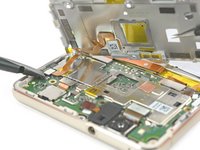
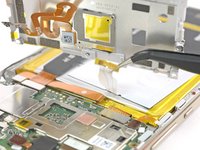
    • Do not remove the shield plate yet, it is attached by a connector and an adhered cable.

    • Use a spudger to disconnect the fingerprint sensor from the motherboard.

    • Peel the NFC antenna cable off of the metal plate.

    Ask FixBot

    Add Comment

  6. Huawei P9 Lite Headphone Jack Replacement, Headphone Jack: step 6, image 1 of 2 Huawei P9 Lite Headphone Jack Replacement, Headphone Jack: step 6, image 2 of 2
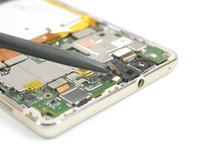
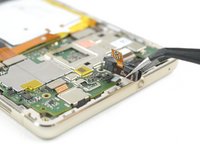
    • Disconnect the headphone jack with a spudger.

    • Take the headphone jack out of its recess.

    Ask FixBot

    Add Comment

Conclusion

To reassemble your device, follow these instructions in reverse order.

Cancel: I did not complete this guide.

8 other people completed this guide.

Dominik Schnabelrauch

Member since: 11/23/16

260,237 Reputation

682 Guides authored

Team

iFixit EU Team Member of iFixit EU Team

Staff

37 Members

1,268 Guides authored

1 Guide Comment

After replacing my audio jack only one side work using headphones

jan call me - Reply Share

Add Comment

View Statistics:

Past 24 Hours: 0

Past 7 Days: 13

Past 30 Days: 39

All Time: 7,398