Free Shipping on Domestic Orders $75+

Huawei P8 Lite Motherboard Replacement

What you need

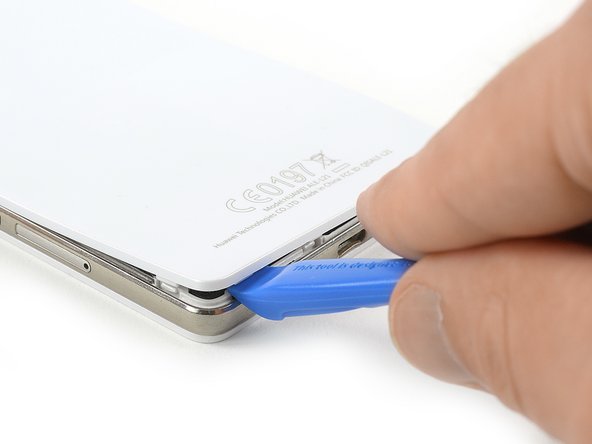
  1. Huawei P8 Lite Motherboard Replacement, Back Cover: step 1, image 1 of 2 Huawei P8 Lite Motherboard Replacement, Back Cover: step 1, image 2 of 2
    • Use an Opening Tool and start to lever up the back cover of your Huawei P8 Lite at the bottom of your phone.

    Ask FixBot

    Add Comment

  2. Huawei P8 Lite Motherboard Replacement: step 2, image 1 of 3 Huawei P8 Lite Motherboard Replacement: step 2, image 2 of 3 Huawei P8 Lite Motherboard Replacement: step 2, image 3 of 3
    • There are clips around the whole mid frame, holding down the back cover. Open all of them with the Opening Tool.

    • When all clips are open, remove the back cover from the rest of the phone.

    • If the back cover doesn't come freely, there are probably some additional clips that need to be disconnected.

    Ask FixBot

    Add Comment

  3. Huawei P8 Lite Motherboard Replacement, Loudspeaker: step 3, image 1 of 1
    • Use a tweezer to remove the warranty sticker which sits on a screw in the bottom right of your phone.

    Ask FixBot

    Add Comment

  4. Huawei P8 Lite Motherboard Replacement: step 4, image 1 of 1
    • Remove the 4 black Torx T5 screws which hold down the lower part of the loudspeaker.

    • Remove the three silver Phillips #00 screws which hold down the upper part of the loudspeaker.

    Ask FixBot

    Add Comment

  5. Huawei P8 Lite Motherboard Replacement: step 5, image 1 of 1
    • Remove the loudspeaker carefully.

    Ask FixBot

    Add Comment

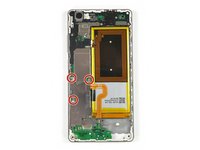
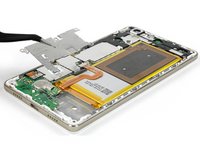
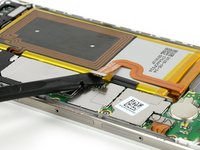
  6. Huawei P8 Lite Motherboard Replacement, Motherboard: step 6, image 1 of 3 Huawei P8 Lite Motherboard Replacement, Motherboard: step 6, image 2 of 3 Huawei P8 Lite Motherboard Replacement, Motherboard: step 6, image 3 of 3
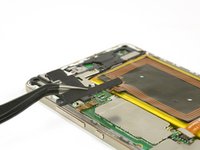
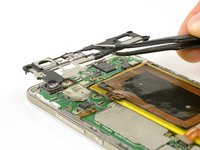
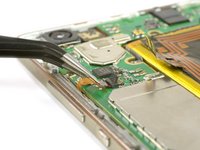
    • Remove the three Phillips #00 screws that hold the metal plate in place.

    • Remove the metal plate with a tweezer.

    • Unplug the battery flex connector with a spudger.

    Ask FixBot

    Add Comment

  7. Huawei P8 Lite Motherboard Replacement: step 7, image 1 of 1
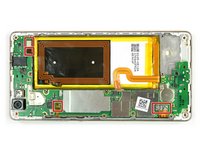
    • Remove the two Torx T5 screws.

    • If there is a tamper evident sticker over your screws remove them to properly seat your driver.

    • Remove the five Phillips #00 screws.

    Ask FixBot

    Add Comment

  8. Huawei P8 Lite Motherboard Replacement: step 8, image 1 of 2 Huawei P8 Lite Motherboard Replacement: step 8, image 2 of 2
    • Carefully pry off the plastic cover on the left side. The NFC antenna contacts might be slightly glued to the cover.

    • Then remove the top cover.

    Ask FixBot

    Add Comment

  9. Huawei P8 Lite Motherboard Replacement: step 9, image 1 of 3 Huawei P8 Lite Motherboard Replacement: step 9, image 2 of 3 Huawei P8 Lite Motherboard Replacement: step 9, image 3 of 3
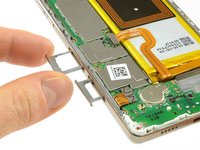
    • Remove the SIM card and SD card trays.

    • Disconnect the three plug connectors and one ZIF connector.

    • Unlock the ZIF connector by lifting the small black plastic lever.

    Ask FixBot

    Add Comment

  10. Huawei P8 Lite Motherboard Replacement: step 10, image 1 of 3 Huawei P8 Lite Motherboard Replacement: step 10, image 2 of 3 Huawei P8 Lite Motherboard Replacement: step 10, image 3 of 3
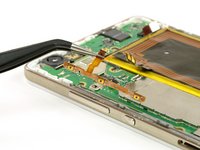
    • Remove the volume and power button cable.

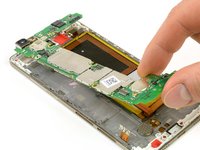
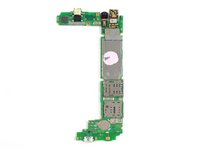
    • Take out the motherboard by lifting the bottom part first.

    • Pay attention to the cables, so they don't rip when staying stuck to the motherboard.

    • On the back of the motherboard there is a thermal pad (pink rubber-like gob) for heat dissipation. If this thermal pad broke or is too dried out you might want to replace it with a new one.

    Ask FixBot

    Add Comment

Conclusion

To reassemble your device, follow these instructions in reverse order and apply adhesive where necessary.

Cancel: I did not complete this guide.

9 other people completed this guide.

Tobias Isakeit

Member since: 03/31/14

134,043 Reputation

189 Guides authored

Team

1 Guide Comment

My p8 lite is not connecting to mobile networks unless im in town onyl whats the prob

Mhofu Powers - Reply Share

Add Comment

View Statistics:

Past 24 Hours: 4

Past 7 Days: 16

Past 30 Days: 62

All Time: 11,487