Introduction
This guide will show you how to remove the Front and Rear Cameras for the Huawei P8 Lite.
What you need
-
-
Tool used on this step:Spudger$2.99
-
Using the Spudger, begin by removing both of the SIM slots from the side of the device.
 Ask FixBot
-
-
Tool used on this step:Spudger$2.99
-
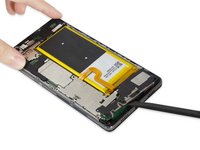
Then remove the back cover of the device with the Spudger. To prevent damage to the back cover, begin removing the cover half an inch to the right of the headphone jack and continue prying around the perimeter of the device.
-
-
Tool used on this step:T5 Torx Screwdriver$9.99
-
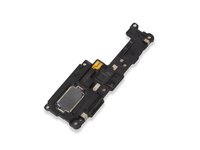
Locate the Loudspeaker at the bottom of the device.
-
Remove the four black screws using the T5 Torx Screwdriver.
-
Then use the Phillips #000 Screwdriver to remove the three silver screws.
-
-
-
Tool used on this step:Spudger$2.99
-
Use the Spudger to gently remove the Loudspeaker from the device. Place the replacement Loudspeaker into the device and follow these steps in reverse order to reassemble the device.
-
-
Tool used on this step:Spudger$2.99
-
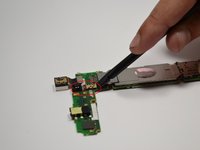
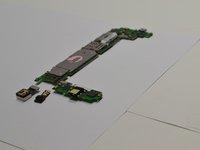
Once the motherboard is removed use the Spudger to remove the Front Camera.
-
-
Tool used on this step:Spudger$2.99
-
Similarly, use the Spudger to remove the Rear Camera.
-
-




To reassemble your device, follow these instructions in reverse order.
Cancel: I did not complete this guide.
3 other people completed this guide.

Team

USF Tampa, Team 1-1, Kass Spring 2017 Member of USF Tampa, Team 1-1, Kass Spring 2017
USFT-KASS-S17S1G1
5 Members
60 Guides authored
