Introduction
Use this guide to remove or replace a broken midframe bezel in the Huawei Honor 8.
You’ll need replacement adhesive to reattach components when reassembling the device.
What you need
-
-
-
Before you begin, switch off your phone.
-
Apply a heated iOpener to the back of the phone to loosen the adhesive beneath the rear glass. Apply the iOpener for at least two minutes.
 Ask FixBot
-
-
-
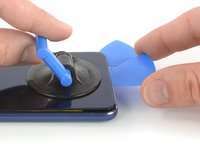
Secure a suction handle to the lower edge of the rear glass, as close to the edge as possible.
-
Lift the rear glass with the suction cup to create a small gap between the glass and the frame.
-
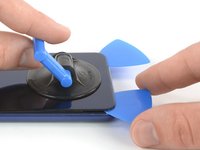
Insert an opening pick into the gap.
-
Slide the opening pick to the bottom right corner.
-
-
-
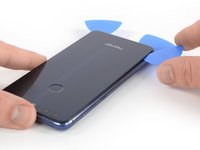
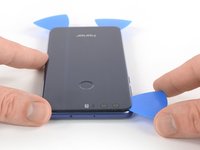
Insert a second opening pick and slide it to the bottom left corner to cut the adhesive.
-
Leave the opening picks in place to prevent the adhesive from resealing.
-
-
-
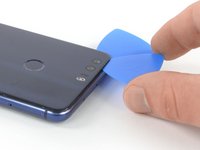
Insert a third opening pick at the bottom left corner.
-
Start to slide the tip of the opening pick from the bottom left corner along the side to cut the adhesive.
-
Leave the opening pick in its place at the top left corner to prevent the adhesive from resealing.
-
-
-
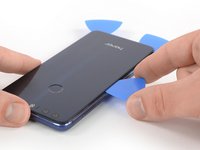
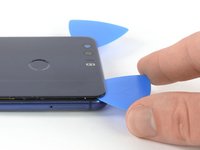
Insert a fourth opening pick under the top left corner of the rear glass.
-
Slide the opening pick along the top edge of the phone to cut the adhesive.
-
Leave the opening pick in the top right corner to prevent the adhesive from resealing.
-
-
-
-
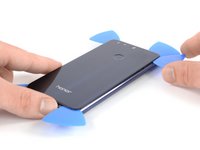
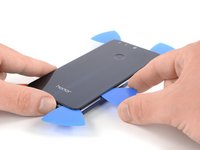
Insert a fifth opening pick at the top right corner of the phone.
-
Slide the opening pick along the right side to cut the remaining adhesive.
-
-
-
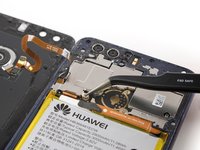
Remove the Phillips #00 screw (2.8 mm length) that secures the metal bracket on top of the fingerprint flex connector.
-
-
Tool used on this step:Tweezers$4.99
-
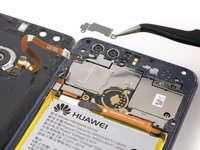
Use a pair of tweezers to remove the metal bracket that sits on top of the fingerprint and display flex connectors.
-
-
-
-
-
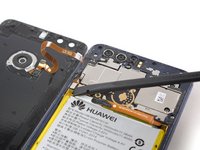
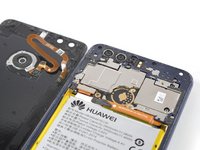
Remove these Phillips #00 screws securing the midframe bezel:
-
Eight screws with 3.5 mm length
-
Eight screws with 2.9 mm length
-
Some screws might be covered with a tamper proof sticker.
-
-
-
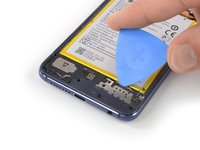
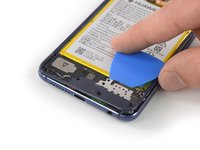
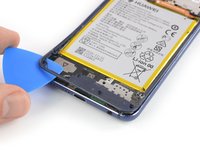
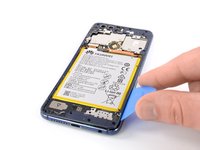
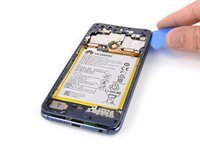
Insert an opening pick underneath the top right edge of the midframe bezel.
-
Use the opening pick to pry up the midframe bezel.
-
Insert the opening pick underneath the bottom left corner of the bezel and pry it up.
-
-
-
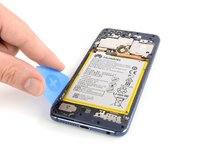
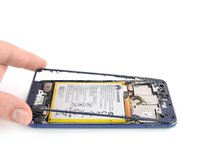
Insert the long edge of an opening pick in the seam between the midframe and the bezel on the left side of the phone.
-
Slide the opening pick along the left side of the phone to cut the adhesive underneath the midframe bezel.
-
-
-
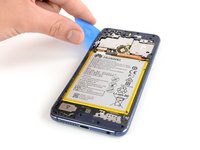
Repeat the procedure on the right edge of the phone to cut the adhesive underneath the midframe bezel.
-
-
-
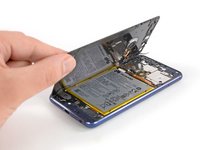
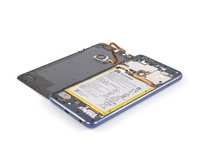
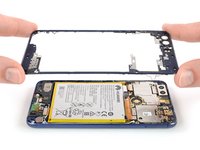
Carefully grasp the midframe bezel from the bottom corners and lift it upwards.
-
Remove the midframe bezel.
-
-






















To reassemble your device, follow these instructions in reverse order.
Repair didn’t go as planned? Check out our Answers community for troubleshooting help.


