Introduction
Use this guide to remove and replace a broken or defective front-facing camera in your Huawei Honor 10.
You’ll need replacement adhesive to reattach components when reassembling the device.
What you need
-
-
-
Before you begin, switch off your phone.
-
Apply a heated iOpener to a long edge of the phone to loosen the adhesive beneath the rear glass. Apply the iOpener for at least two minutes.
 Ask FixBot
-
-
-
Press a suction cup onto the back cover.
-
Lift the back cover's right edge with your suction cup, opening a slight gap between the back cover and the frame.
-
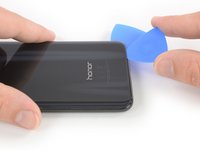
Insert the tip of an opening pick in the gap you created and slide it to the bottom right corner.
-
-
-
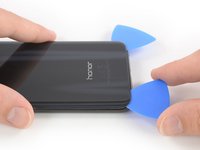
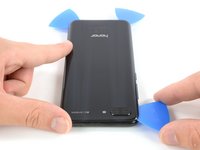
Insert a second opening pick at the bottom right corner of the rear glass.
-
Slide the opening pick along the bottom edge of the rear glass to cut the adhesive and leave it in the bottom left corner.
-
-
-
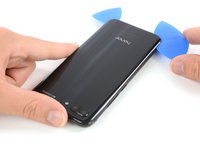
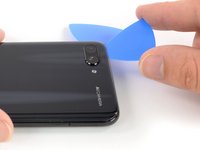
Insert a third opening pick at the bottom left corner of the rear glass.
-
Slide the opening pick along the left edge of the rear glass to cut the adhesive.
-
Leave the opening pick at the top left corner of the rear glass.
-
-
-
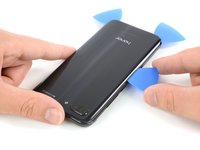
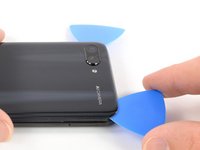
Insert a fourth opening pick at the top left corner of the rear glass.
-
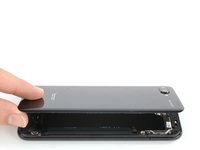
Slide the opening along the top edge of the rear glass and cut the remaining adhesive with it.
-
-
-
-
-
-
Use a pair of tweezer to carefully peel the black foil off the loudspeaker and daughterboard cover.
-
Remove the foil completely.
-
-
-
Remove the three Phillips #00 screws (2.9 mm length) that secure the metal bracket on top of the battery, interconnect, and display flex cable.
-
-
Tool used on this step:Tweezers$4.99
-
Use a pair of tweezers to remove the metal shield that covers the connectors of the interconnect cable, the battery and the display flex cable.
-
-
-
-
-
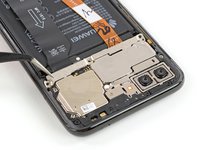
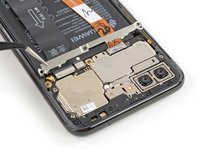
Remove the six Phillips screws securing the motherboard cover:
-
Four 3.4 mm long screws
-
Two 2.9 mm long screws
-
-
-
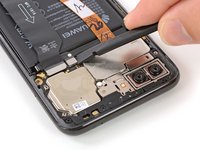
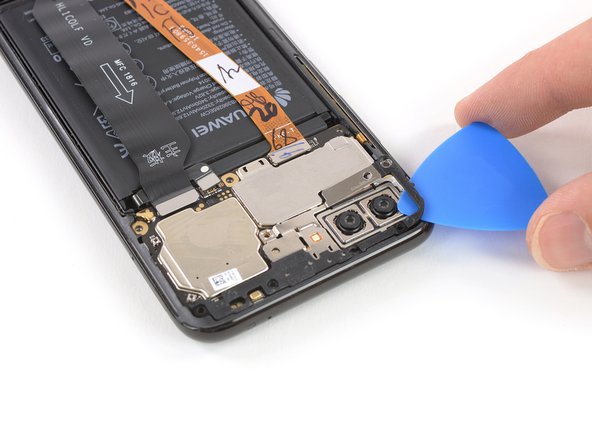
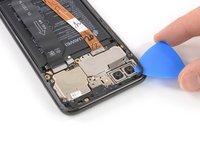
Slide an opening pick under the motherboard cover next to the cameras and carefully pry it up by twisting the opening pick sideways.
-
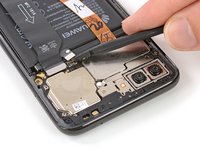
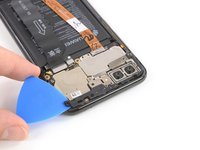
Repeat the previous process on the opposite side of the motherboard cover until the cover pops out.
-
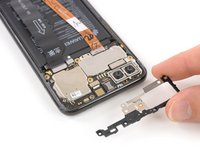
Remove the motherboard cover.
-
-
-
-
-
Use the flat end of a spudger to pry up and disconnect the flex cable of the front facing camera.
-
-
Tool used on this step:Tweezers$4.99
-
Use a pair of tweezers to remove the front facing camera.
-
-








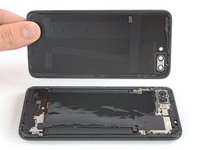


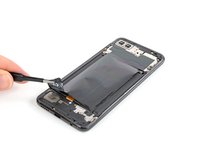
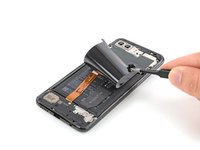
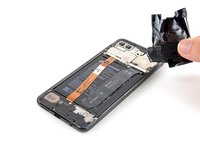









To reassemble your device, follow these instructions in reverse order.
If possible, turn on your phone and test your repair before installing new adhesive and resealing the phone.
Take your e-waste to an R2 or e-Stewards certified recycler.
Repair didn’t go as planned? Check out our Answers community for troubleshooting help.
Cancel: I did not complete this guide.
2 other people completed this guide.


