
How to set up a warning triangle

Sebastian and one other contributor
Last updated on Jan 26, 2023
Views: 5.1K
View statistics:
- Past 24 Hours:
- 6
- Past 7 Days:
- 60
- Past 30 Days:
- 244
- All Time:
- 5,080
Comments: 2
1 comment on steps, 1 guide comment.
Go to guide commentsCompleted: 1 2
1 person has marked this guide "completed." Will you be next?
2 people have marked this guide "completed." Including you — great job!
Favorites: 0 1
No one has favorited (and subscribed to) this guide. Will you be the first?
1 person has favorited (and subscribed to) this guide — and that's you!
Community-Contributed Guide
An awesome member of our community made this guide. It was not created by iFixit staff.
Introduction
Go to step 1 ↓A warning triangle is a safety device that is used to alert other drivers on the road of a potential hazard or obstruction ahead. It is usually placed behind a vehicle that has broken down, been involved in an accident, or is otherwise not able to move under its own power. The warning triangle helps to make other drivers aware of the danger so that they can slow down or take evasive action to avoid a collision. Some countries require drivers to carry a warning triangle in their vehicles at all times, so it is always a good idea to check the local regulations before setting out on a road trip.
What you need
Parts


-
-
-
Take a safety vest and put it on. You can usually find one in or near your vehicle safety/first aid kit.
 Ask FixBot
-
-
-
You can usually find your warning triangle in a compartment on the left side of your boot. On some older cars you might also find it in the tailgate or on top of the reserve wheel under the boot.
-
-
-
-
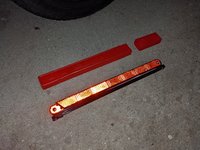
Outside the dangerous area, ideally beyond the crash barrier, unpack and fully unfold the warning triangle.
-
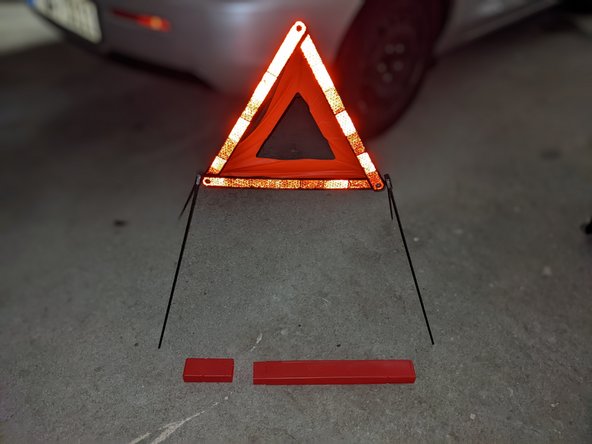
Depending on the design, twist the two lower bars in the middle until they form a cross, or fold out the four feet - 2 each at the bottom corners of the triangle - forwards and backwards until the warning triangle can be set up stably.
-
Above the base are the three red bars. Two of them can be pulled up and locked together to form the legs of the triangle. The plastic inner film folds open automatically.
-
-
-
Walk towards traffic while keeping the warning triangle visible in front of you, ideally at chest height.
-
Now set it up on the roadside - the distance to the vehicle should be around 50 meters in urban areas, 100 meters on country roads and at least 150 meters on the motorway.
-
-



Drive safe!
Cancel: I did not complete this guide.
One other person completed this guide.

