Free Shipping on Domestic Orders $75+

How to remove malware from an infected windows PC

What you need

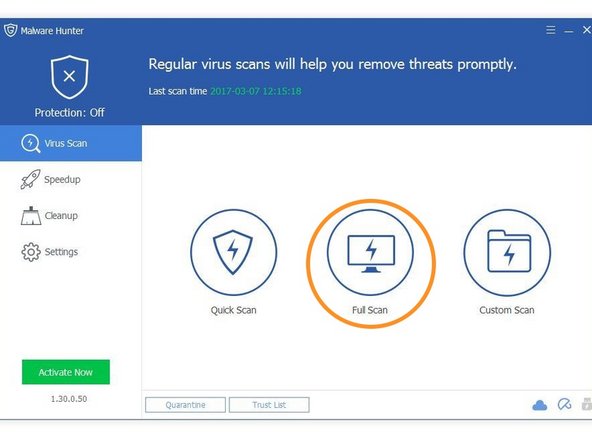
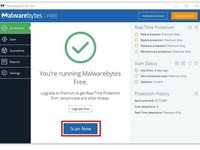
  1. How to remove malware from an infected windows PC, Install Anti-Malware software: step 1, image 1 of 2 How to remove malware from an infected windows PC, Install Anti-Malware software: step 1, image 2 of 2
    • On the PC you will be doing antivirus on, install the appropriate software. If the PC with malware does not turn on, install on a different one to do anti-virus.

    • Malwarebytes is great anti-virus software. Go to the website and install it for free.

    • Glarysoft Malware hunter is also good. Their website is here.

    • Other free anti-malware works too, but these are my favorites.

    Ask FixBot

    Add Comment

  2. How to remove malware from an infected windows PC, Remove your SATA HDD/SDD from the PC: step 2, image 1 of 1
    • This step only applies to PCs that do not boot. If the PC with malware runs, then install the software directly onto it.

    • Because assembly of different laptops and PCs vary so much, you will have to figure out or find a guide to remove your drive.

    Ask FixBot

    Add Comment

  3. How to remove malware from an infected windows PC, Connect the drive: step 3, image 1 of 1
    • This step also only applies to PCs that don't boot.

    • If your non-infected PC is a desktop, you may unplug the optical drive and plug the connections into the HDD or SSD. If it is a laptop, you will need a SATA to USB adapter.

    • Shut down your desktop before unplugging the DVD drive and attaching the HDD.

    Ask FixBot

    Add Comment

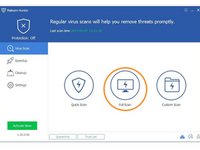
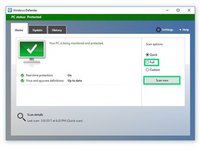
  4. How to remove malware from an infected windows PC, Disinfect your PC: step 4, image 1 of 3 How to remove malware from an infected windows PC, Disinfect your PC: step 4, image 2 of 3 How to remove malware from an infected windows PC, Disinfect your PC: step 4, image 3 of 3
    • Once you've installed the necessary programs and (if applicable) connected you're infected drive to you PC, you are ready to be the doctor.

    • Run Malwarebytes.

    • Run Glarysoft Malware Hunter.

    • Windows defender comes preinstalled with Windows. Use that also.

    Ask FixBot

    Add Comment

  5. How to remove malware from an infected windows PC, Double checking another PCs drive.: step 5, image 1 of 1
    • This is the last step for checking another PCs drive

    • Go into file explorer, right click on the drive from the infected PC, and select each of the highlighted options.

    Ask FixBot

    Add Comment

  6. How to remove malware from an infected windows PC, Finito!: step 6, image 1 of 1
    • All done! follow these instructions in reverse to put everything back.

    Ask FixBot

    Add Comment

Finish Line

Cancel: I did not complete this guide.

40 other people completed this guide.
George A.

Member since: 12/07/16

22,563 Reputation

4 Guides authored

Team

Community Protectors Member of Community Protectors

Community

21 Members

27 Guides authored

1 Guide Comment

changed “boot” to “turn on” because it would make more sense to the people who read this article, as they could be the much less computer-savvy people

aaaaaaaaaaaaaaaaa - Reply Share

Add Comment

View Statistics:

Past 24 Hours: 9

Past 7 Days: 85

Past 30 Days: 242

All Time: 12,198