Introduction
Even though keyboard switches are made to last longer than your average office keyboard, switch springs wear out over time, and you may notice a diminished typing experience. This guide demonstrates how to replace the switch springs in a KBD67 Lite R3 keyboard that is hot-swappable, although this process will be similar for most mechanical keyboards. The switches being used to demonstrate the replacement in this guide are the Glorious Pandas by Glorious Gaming.
What you need
-
-
-
Align the keycap puller to the keycap.
-
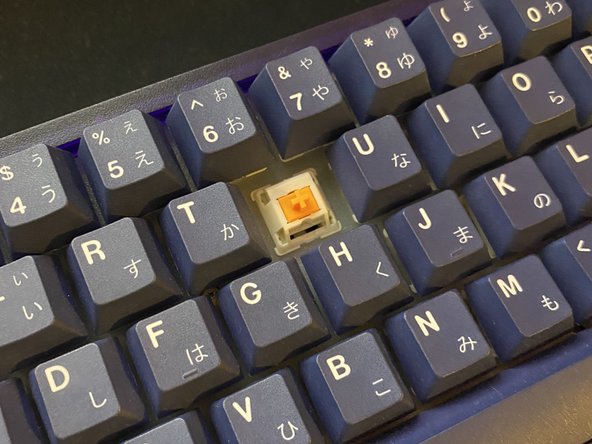
Gently pull vertically on the keycap to remove it, exposing the key switch.
 Ask FixBot
-
-
-
Align the key switch puller with the key switch that you're removing.
-
Pull the key switch out of the keyboard.
-
-
-
Locate the side of the switch that has latches.
-
Place the side of the switch with latches on top of the key switch opener legs.
-
Apply gentle force pushing the switch down on the switch opener to open up the switch.
-
-
-
-
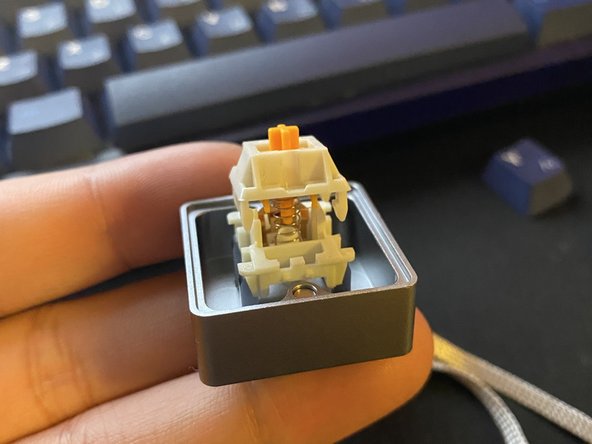
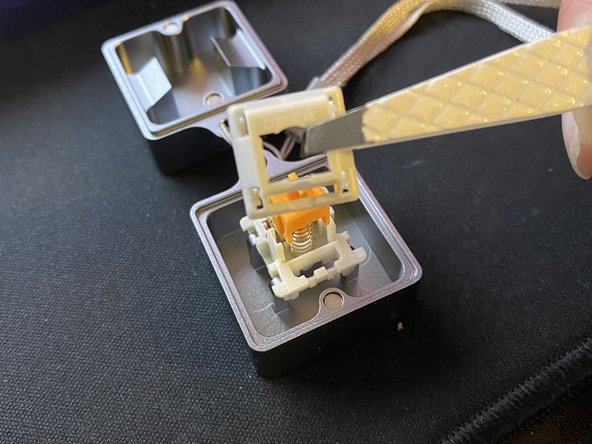
Remove the top housing and stem to reveal the switch spring.
-
Remove the switch spring and proceed to replace it with another spring of your choice.
-
-
-
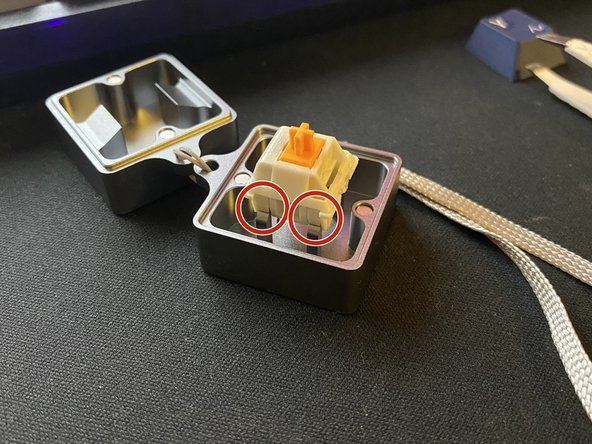
Locate the side of the switch that has legs, then place the switch on top of the spring. with the legs facing the metal plate.
-
Push the top and bottom housing together to assemble the switch.
-
-
-
Locate the switch pin holes on your keyboard.
-
Locate the pins on your key switch and line it up with the keyboard pin holes.
-
Apply gentle force pushing down until it clicks onto place.
-
-
-
Put the key cap back onto the switch.
-
Test the keyboard input and ensure that everything is functioning correctly.
-
-











To reassemble your device, follow these instructions in reverse order.

Team

York University, Team M-14, Allen Summer 2022 Member of York University, Team M-14, Allen Summer 2022
YORK-ALLEN-SU22SMG14
1 Member
2 Guides authored
1 Guide Comment
Frank you did an amazing job on this one. I always wondered how to replace a keyboard key and finally you provided a perfect guide. Your introduction covers everything one needs to know including the parts required - thank you for the where to buy links. Talking about the guide it's clear and precise - all steps are documented well with those amazing parts focused pictures. Language is easy to read and understand. After reading your guide I feel more confident now to replace the key or the spring within.
