
How to Repair a Frayed Headphone Cable

Tyler and 13 other contributors
Last updated on Apr 8, 2026
Views: 131K
View statistics:
- Past 24 Hours:
- 32
- Past 7 Days:
- 158
- Past 30 Days:
- 722
- All Time:
- 131,393
Comments: 7
4 comments on steps, 3 guide comments.
Go to guide commentsCompleted: 44 45
44 people have marked this guide "completed." Will you be next?
45 people have marked this guide "completed." Including you — great job!
Favorites: 34 35
34 people have favorited (and subscribed to) this guide. Will you be next?
35 people have favorited (and subscribed to) this guide — including you!
Introduction
Go to step 1 ↓Tired of replacing old headphone sets? Here’s a step-by-step guide on repairing frayed headphone cables in an environmentally efficient and affordable way. This guide will require soldering skills.
What you need
Parts
Tools


-
-
-
Cut above the frayed portion of the cable using wire cutters.
-
Using the wire cutters, strip away approximately one inch of wire coating.
 Ask FixBot
-
-
-
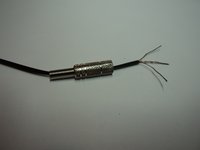
After stripping the wire, four wires should be exposed. The wires should be three different colors.
-
Red: Right channel
-
Gold/copper: Ground
-
Blue/green: Left channel
-
Twist the two ground wires together.
-
-
-
With a soldering iron, apply a small amount of solder to the end of each wire.
-
-
-
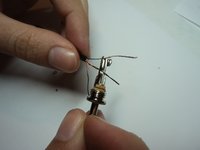
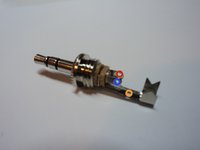
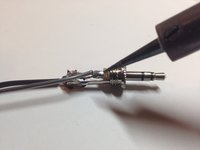
Thread the wires through each hole and wrap them back over.
-
Next, twist each wire with itself to secure it to the lead. This can be seen in the second picture.
-
-
-
-
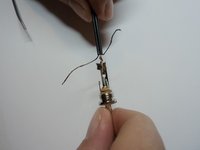
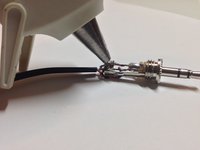
Solder over each lead's hole, connecting the wire to the lead.
-
After each wire is connected, use a drop of hot glue to secure the wires and prevent them from touching each other.
-
-
-
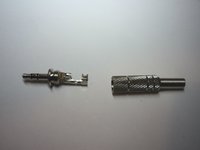
Screw the housing back onto the jack and test your work.
-
If the sound turns on and off this is a connection error. To fix it, look at your solder joints and make sure the wires are fully connected to the leads. If not, apply more solder to the joints, covering the wire.
-
-







Cancel: I did not complete this guide.
44 other people completed this guide.

Team

Cal Poly, Team 23-2, Green Winter 2015 Member of Cal Poly, Team 23-2, Green Winter 2015
CPSU-GREEN-W15S23G2
4 Members
48 Guides authored
3 Guide Comments
To me, the more difficult part in this job, is solder.... Now, If you are not sure, with where solder each wire, try with a tester in the continuity mode, and test between the each part of the tip and the three holes. Greetings!
Air phone ke andar plate lagi rahti hai bye Tut gaye
