Free Shipping on Domestic Orders $75+

How to Open Sony VAIO PCG-F580

What you need

  1. How to Open Sony VAIO PCG-F580, How to Open Sony VAIO PCG-F580: step 1, image 1 of 3 How to Open Sony VAIO PCG-F580, How to Open Sony VAIO PCG-F580: step 1, image 2 of 3 How to Open Sony VAIO PCG-F580, How to Open Sony VAIO PCG-F580: step 1, image 3 of 3
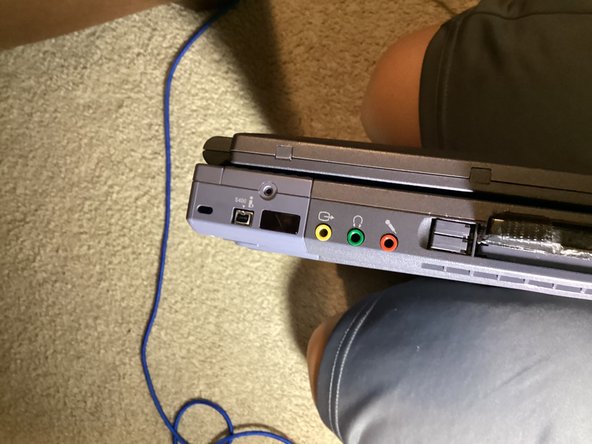
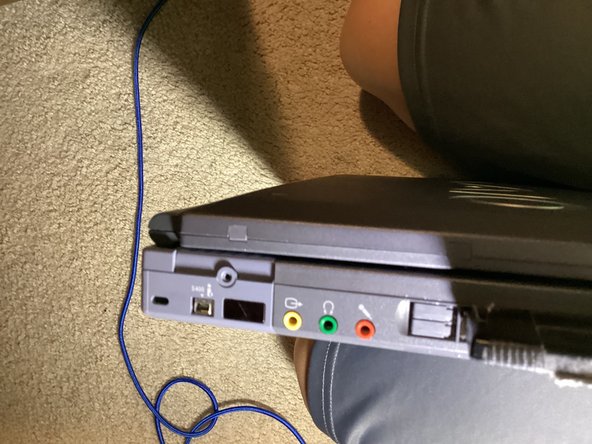
    • On the side with the audio ports, there is a Philips screw. Unscrew it.

    • Push the loose plastic piece, this will loosen the daughterboard from the main case.

  2. How to Open Sony VAIO PCG-F580, Taking Off the Daughterboard: step 2, image 1 of 3 How to Open Sony VAIO PCG-F580, Taking Off the Daughterboard: step 2, image 2 of 3 How to Open Sony VAIO PCG-F580, Taking Off the Daughterboard: step 2, image 3 of 3
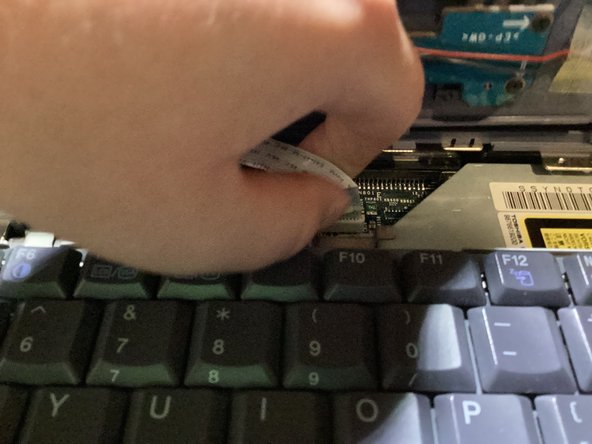
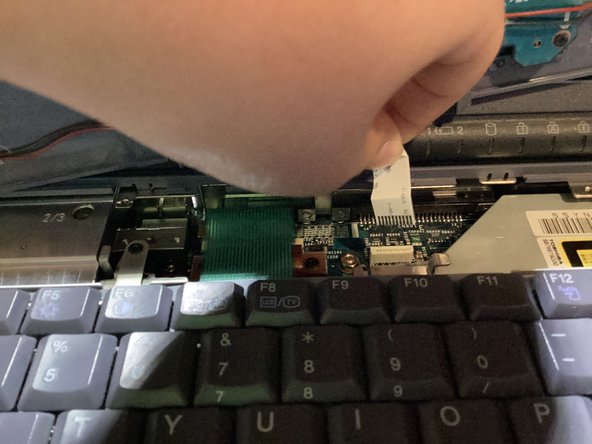
    • Open the lid, and pull up on the daughterboard enough to see the ribbon cable.

    • Pull up on the ribbon cable to release it. Don't worry, if you pull it straight up, there will be no damage.

    • Set the daughterboard to the side for now.

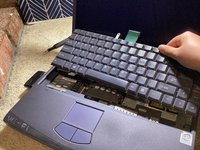
  3. How to Open Sony VAIO PCG-F580, The Keyboard: step 3, image 1 of 3 How to Open Sony VAIO PCG-F580, The Keyboard: step 3, image 2 of 3 How to Open Sony VAIO PCG-F580, The Keyboard: step 3, image 3 of 3
    • Unscrew the Philips screw at the top of the keyboard.

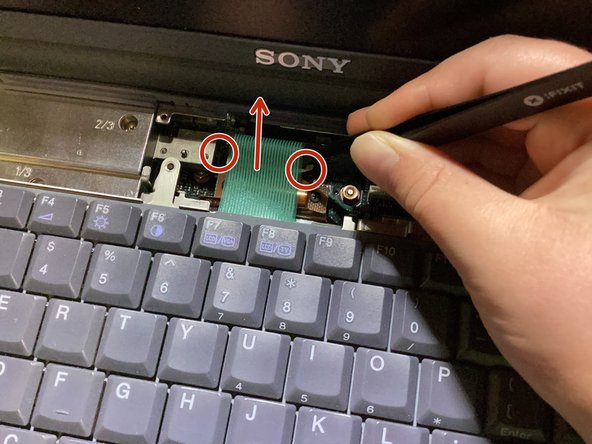
    • Remove the ribbon cable by pulling up on the plastic tabs on either sides of the socket with tweezers, then lifting it straight out.

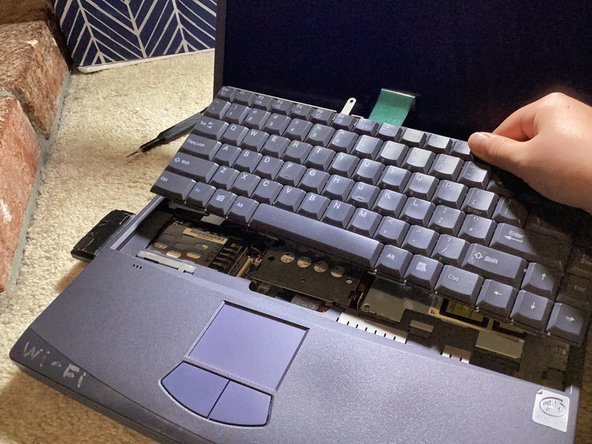
    • Lift the keyboard up at an angle, towards the screen.

    • Note: If you hear what sounds like peeling, that's normal.

Conclusion

To reassemble your device, follow these instructions in reverse order.

CI S

Member since: 01/11/25

627 Reputation

5 Guides authored

0 Guide Comments

Add Comment

View Statistics:

Past 24 Hours: 0

Past 7 Days: 3

Past 30 Days: 15

All Time: 164