How to JBL L40

David Salerno and 4 other contributors
Last updated on Dec 1, 2016
Views: 8.1K
View statistics:
- Past 24 Hours:
- 3
- Past 7 Days:
- 23
- Past 30 Days:
- 118
- All Time:
- 8,085
Comments: 3
3 comments on steps.
Completed: 4 5
4 people have marked this guide "completed." Will you be next?
5 people have marked this guide "completed." Including you — great job!
Favorites: 3 4
3 people have favorited (and subscribed to) this guide. Will you be next?
4 people have favorited (and subscribed to) this guide — including you!
Action Shots
Be an action hero! This guide needs images that better demonstrate how to perform specific actions.
Needs More Images
A few more images would make this guide's procedures crystal clear.
Community-Contributed Guide
An awesome member of our community made this guide. It was not created by iFixit staff.
Introduction
Go to step 1 ↓The JBL L40s are excellent speakers and I would pick them up if you happen to find them at a garage sale. The one problem with these speakers is that the foam surrounding the speaker cones will most likely be crumbling apart due to age.
Luckily, it is an easy fix. With a new set of foam surrounds and a bit of patience you can have these speakers booming in no time!
What you need


-
-
-
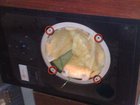
To remove the speaker from the cabinet, unscrew the 4 screws being careful not to slip and pierce the paper cone.
-
Once the screws are removed gently pull the speaker out of the cabinet.
 Ask FixBot
-
-
-
Here is the speaker removed from the cabinet, you can clearly see the degraded state of the foam surround. Luckily this makes it very easy to remove it.
-
These next steps require careful attention to detail. Work slowly and carefully. You do not want to puncture/tear/rip the paper cone or any other components.
-
-
-
Remove the black foam ring.
-
Carefully run your knife between the ring and the outer metal edge.
-
Now using your hands and knife when needed remove the black ring from the speaker frame. Prying slowly. Take care not to tear it.
-
Once the ring is removed rub all of the old foam surround off and set aside for reassembly
-
-
-
Remove all of the old foam surround from the cone and speaker frame. It was so crumbly on mine that all it took was a bunch of rubbing with my fingers. If you are having trouble use your knife, but again be careful.
-
-
-
-
Spread glue on the ring you removed earlier
-
place over the foam ring and press on securly
-
allow everything over night to dry completely.
-
-
-
Connect the wires to the speaker being mindfull of the polarity.
-
Gently fit the speaker into the housing
-
Line up the screws and progressively tighten them until the speaker is secured
-
-


To reassemble your device, follow these instructions in reverse order.
Cancel: I did not complete this guide.
4 other people completed this guide.

