Free Shipping on Domestic Orders $75+

How to Install a 2.5" SSD Into a Silicone Enclosure

    1. How to Install a 2.5" SSD Into a Silicone Enclosure, Insert the SSD into the enclosure: step 1, image 1 of 2 How to Install a 2.5" SSD Into a Silicone Enclosure, Insert the SSD into the enclosure: step 1, image 2 of 2
      • Before you insert the new hard drive, note the orientation of the SATA connectors embedded in the enclosure:

      • The wide power SATA port

      • The narrower data SATA port

      Ask FixBot

      Add Comment

    2. How to Install a 2.5" SSD Into a Silicone Enclosure: step 2, image 1 of 3 How to Install a 2.5" SSD Into a Silicone Enclosure: step 2, image 2 of 3 How to Install a 2.5" SSD Into a Silicone Enclosure: step 2, image 3 of 3
      • Using the previous step, orient the new drive so that its SATA connectors will align with the enclosure's.

      • Slide the drive into the enclosure's opening.

      • Push the drive into the enclosure until it stops sliding and the SATA connectors are completely seated.

      Ask FixBot

      Add Comment

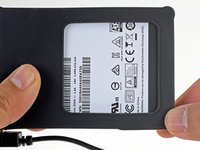
    3. How to Install a 2.5" SSD Into a Silicone Enclosure: step 3, image 1 of 3 How to Install a 2.5" SSD Into a Silicone Enclosure: step 3, image 2 of 3 How to Install a 2.5" SSD Into a Silicone Enclosure: step 3, image 3 of 3
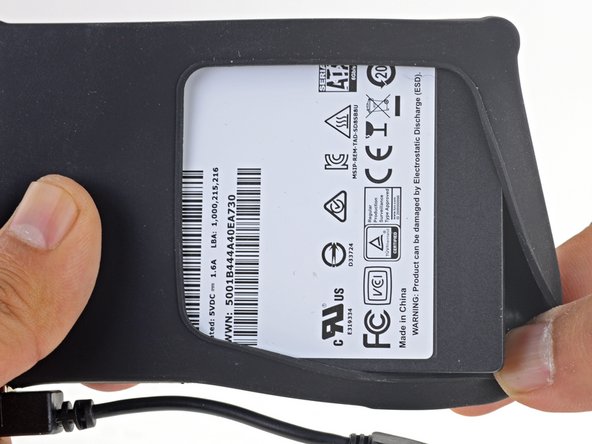
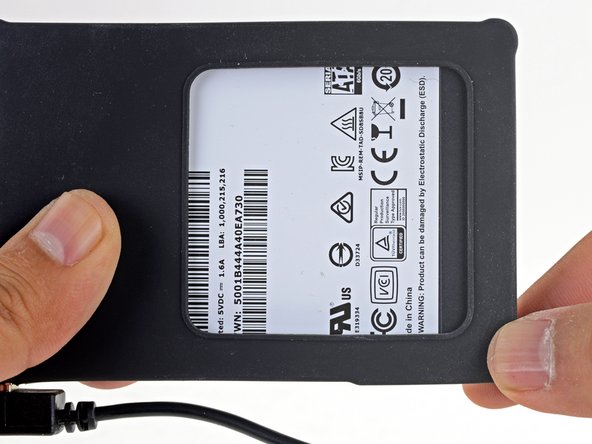
      • Stretch the remaining enclosure corners over the drive so that the silicone cover encapsulates the drive.

      Ask FixBot

      Add Comment

Conclusion

Your drive is ready to be used!

Cancel: I did not complete this guide.

3 other people completed this guide.

Arthur Shi

Member since: 01/03/18

346,205 Reputation

921 Guides authored

Team

iFixit Member of iFixit

Staff

123 Members

73,617 Guides authored

0 Guide Comments

Add Comment

View Statistics:

Past 24 Hours: 0

Past 7 Days: 12

Past 30 Days: 113

All Time: 2,659