Introduction
Are you unsure of which Apple Watch you own? If you are looking for repair information or replacement parts you need to know the series and model number.
What you need
-
-
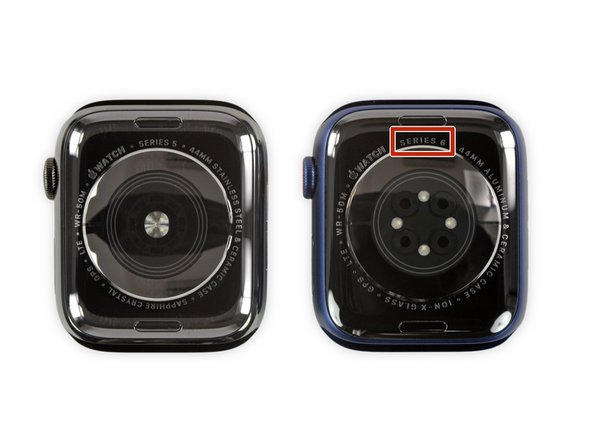
To find the series of your Apple Watch...
-
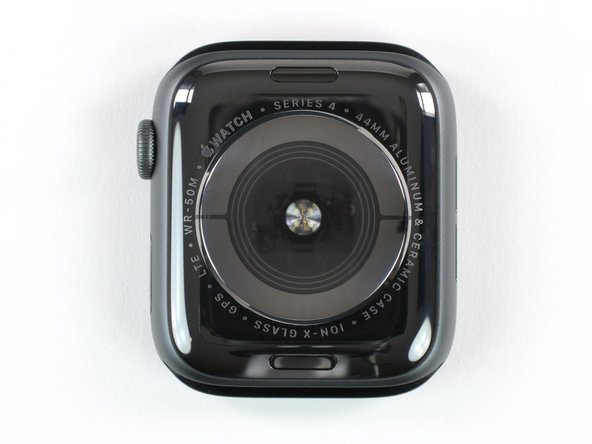
Turn the watch over so that you're looking at its back cover and the screen faces away from you.
 Ask FixBot
-
-
-
To find the model number of your Apple Watch...
-
Remove the wristband from the watch. Press the button on the back case to slide the band out.
-
-
-
If you can't read the engraved text on the watch or don't want to remove the band, the model number can be found in iOS settings.
-
Open the Watch app on your iPhone and select the "My Watch" tab.
-
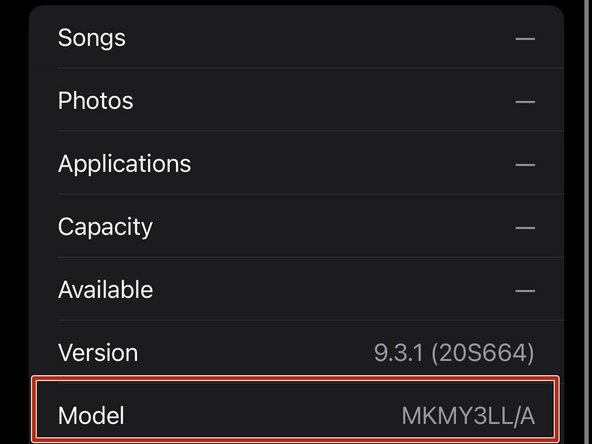
Select General > About and then scroll to the "Model" field. A number will be displayed as a combination of letters and numbers starting with “M”.
-
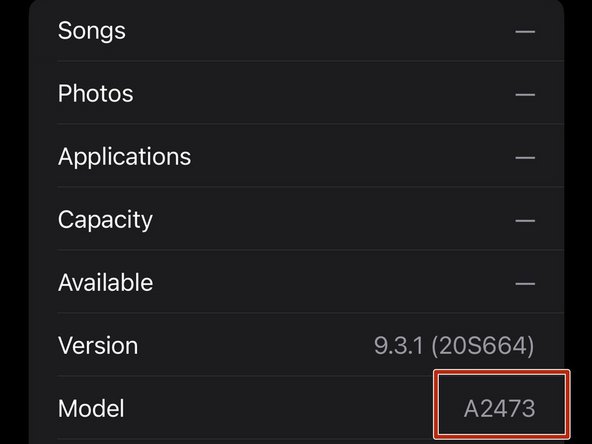
Tap the "Model" field. You should see the model number which starts with “A” (e.g. A2473).
-
-
-
Model Numbers
-
A1553 (38mm)
-
A1554 (42mm)
-
The back cover is composite, with "Composite Back" and “7000 series” text written on it.
-
-
-
Model Numbers
-
A1802 (38mm)
-
A1803 (42mm)
-
Apple took their original Apple Watch, slapped in a faster processor, and called it the Series 1.
-
Composite back with 'Series 1' written on it.
-
-
-
-
Model Numbers
-
A1757 (38mm)
-
A1758 (42mm)
-
A1816 (38mm)
-
A1817 (42mm)
-
Similar design to previous models but with the addition of built-in GPS. The back cover is ceramic, with 'Ceramic Back' and 'Series 2' written on it.
-
-
-
Model Numbers
-
A1858 (38mm GPS)
-
A1859 (42mm GPS)
-
A1860 (38mm GPS + Cellular)
-
A1861 (42mm GPS + Cellular)
-
Apple introduced a red dot on the Digital Crown if a GPS + Cellular model.
-
GPS-only models: the back cover is composite, with 'Composite Back' and 'Series 3' written on it.
-
GPS + Cellular models: the back cover is ceramic, with 'Ceramic Back' and 'Series 3' written on it.
-
-
-
Model Numbers
-
GPS Only
-
A1977 (40mm), A1978 (44mm)
-
GPS + Cellular
-
A1975 (North America, 40mm), A2007 (Europe, Asia Pacific, and China mainland, 40mm) A1976 (North America, 44mm), A2008 (Europe, Asia Pacific, and China mainland, 44mm)
-
GPS + Cellular models feature a red ring on the Digital Crown.
-
Features a thinner body compared to the previous series.
-
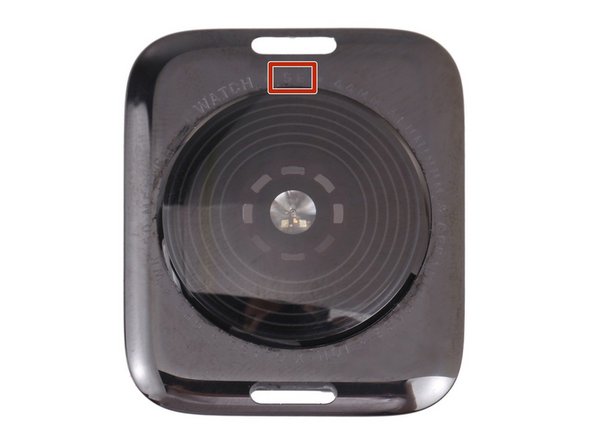
The back cover is black ceramic with 'Series 4' written on it.
-
-
-
Model Numbers
-
GPS Only
-
A2092 (40mm), A2093 (44mm)
-
GPS + Cellular
-
A2094 (North America, 40mm), A2156 (Europe, Asia Pacific, and China mainland, 40mm), A2095 (North America, 44mm), A2157 (Europe, Asia Pacific, and China mainland, 44mm)
-
GPS + Cellular models feature a red ring on the Digital Crown.
-
Similar design to Series 4, but introduces the Always-On display.
-
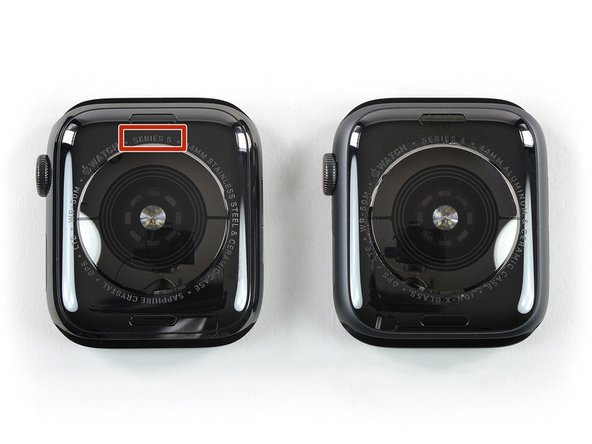
The back cover is black ceramic, with 'Series 5' written on it.
-
-
-
Model Numbers
-
GPS Only
-
A2351 (40mm), A2352 (44mm)
-
GPS + Cellular
-
A2353 (North America, 40mm), A2354 (North America, 44mm), A2355 (Europe, Asia Pacific, China mainland, 40mm), A2356 Europe, Asia Pacific, China mainland, 44mm)
-
GPS + Cellular models feature a red ring on the Digital Crown.
-
Similar design to Series 4 and 5, but lacks the Always-On display.
-
The back cover is ceramic, with 'SE' written on it.
-
-
-
Model Numbers
-
GPS Only
-
A2291 (40mm), A2292 (44mm)
-
GPS + Cellular
-
A2293 (North America, 40mm), A2294 (North America, 44mm), A2375 (Europe, Asia Pacific, China mainland), A2376 (Europe, Asia Pacific, China mainland)
-
GPS + Cellular models feature a red ring on the Digital Crown.
-
Very similar design to Series 5, but introduces a Blood Oxygen sensor.
-
The back cover is ceramic, with “Series 6” written on it.
-
-
-
Model Numbers
-
GPS Only
-
A2473 (41mm), A2474 (45mm)
-
GPS + Cellular
-
A2475 (North America, 41mm), A2477 (North America, 45mm), A2476 (Europe, Asia Pacific, China mainland, 41mm), A2478 (Europe, Asia Pacific, China mainland, 45mm)
-
GPS + Cellular models feature a red ring on the Digital Crown.
-
Very similar design to Series 6 with the Blood Oxygen sensor.
-
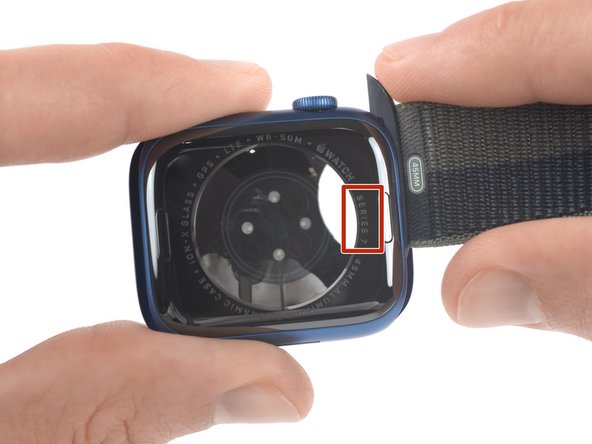
The back cover is ceramic, with “Series 7” written on it.
-
-
-
Model Numbers
-
GPS Only
-
A2770 (41mm), A2771 (45mm)
-
GPS + Cellular
-
A2772 (41mm North America), A2773 (41mm Europe, Asia Pacific), A2774 (45mm North America), A2775 (45mm Europe, Asia Pacific), A2857 (41mm China mainland), A2858 (45mm China mainland)
-
GPS + Cellular models feature a red ring on the Digital Crown.
-
Very similar design to Series 7 with the Blood Oxygen sensor.
-
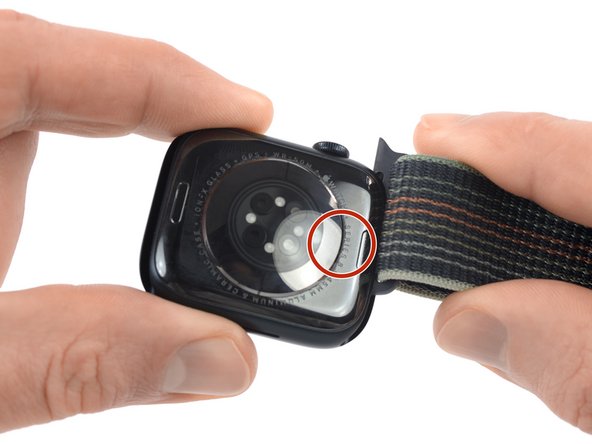
The back cover is ceramic, with “Series 8” written on it.
-
-
-
Model Numbers
-
GPS Only
-
A2722 (40mm), A2723 (44mm)
-
GPS + Cellular
-
A2724 (Europe, Asia Pacific, 44mm), A2725 (Europe, Asia Pacific, 40mm)
-
A2726 (North America, 40mm), A2727 (North America, 44mm)
-
A2855 (China mainland, 40mm), A2856 (China mainland 44mm)
-
GPS + Cellular models feature a red ring on the Digital Crown.
-
-
-
Model Numbers
-
A2622 (North America, 49mm)
-
A2684 (Europe, Asia Pacific, 49mm)
-
A2859 (China mainland, 49mm)
-
The crown has an orange ring on it.
-
It is a larger and more rugged watch than previous models and can be identified by “Watch Ultra” written on the back.
-
There are 4 visible pentalobe screws on the back.
-














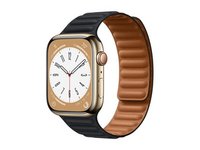


- If you see a red dot, red ring, or orange ring on the Digital Crown you have a GPS + Cellular model.
- You can find the model number by removing the wrist strap or in the general iOS settings.
- You can find the series on the back of the watch.
- There are special Hermès and Nike versions of most of these watches which can be identified by their logos.


