Introduction
The following guide will help you to fix the CHP Mode Switch by taking off the back cover and cleaning around the switch.
What you need
-
-
Locate and remove two 6.4mm screws on the bottom of the camera with a Phillips #00 screwdriver.
 Ask FixBot
-
-
-
Locate the latch on the battery door marked by the word "BATT." Use your finger to pry it open.
-
-
-
Locate and remove three black 3.80mm screws on the back of the camera with the Phillips #00 screwdriver.
-
-
-
-
Locate and remove the 6.4mm screws located on either side of the camera with a Phillips #00 screwdriver.
-
-
-
Locate the film door latch located on the side of the camera.
-
Insert the spudger under the latch.
-
Pry the latch upward, applying force perpendicular to the camera.
-
-
-
Insert the flat edge of the spudger between the gold front casing and the black back casing.
-
Pry the spudger upward until the black back casing snaps out and is dislodged on that edge of the camera.
-
-
-
Squeeze the camera by placing a thumb on the tab marked CE.
-
Pull the back half of the camera firmly away from the camera body.
-
-
-
Locate and remove the 3.80mm screw inside the film compartment with the Phillips #00 screwdriver.
-
-
-
Pull the front cover off of the camera by lifting the tripod tab over the tripod hole.
-
-
-
Remove any visible debris that may be blocking the CHP Mode Switch.
-
Using the Q-tip gently wipe away any dust, dirt or residue, in and around the switch.
-
Once you are sure the switch is clean, test it gently by sliding it back and forth between the 'C', the 'H', and the 'P'. If the switch is clean there should be very little resistance and the switch should glide smoothly from one mode to the next.
-


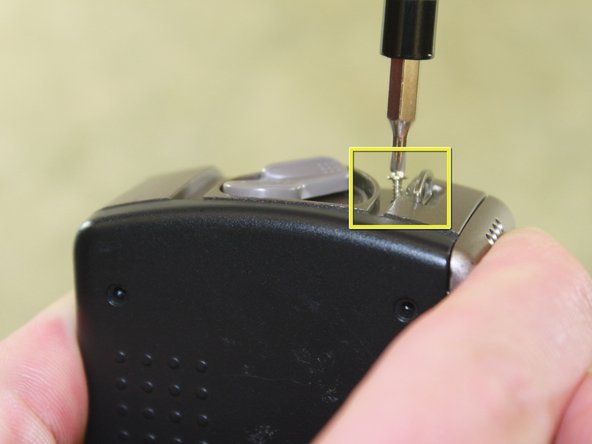


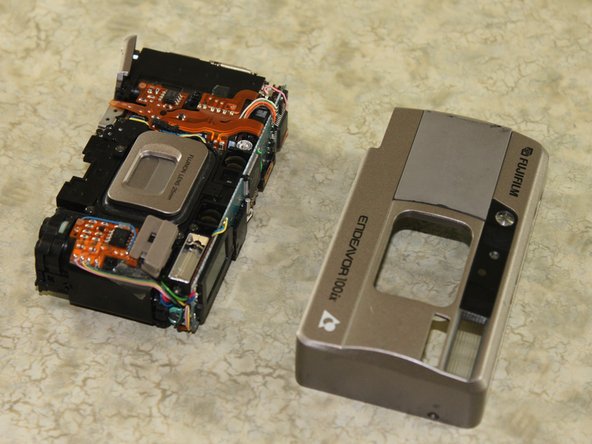

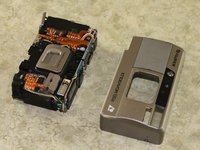


To reassemble your device, follow the instructions from the "Disassembling Fujifilm Endeavor 100ix Outer Casing" guide in reverse order.
Cancel: I did not complete this guide.
One other person completed this guide.

Team

Cal Poly, Team 13-5, Forte Winter 2011 Member of Cal Poly, Team 13-5, Forte Winter 2011
CPSU-FORTE-W11S13G5
5 Members
11 Guides authored
